While Pokémon Go is geared toward adults and teens, a lot of parents are playing it with their children too. I helped my kindergartener install it yesterday, and we spent an afternoon at a park looking for Pikachu. There are some safety concerns, but lots of potential for exercise and learning, too.
If you’re still not sure what this game is all about, read our explainer. It’s a free game where you walk to places in the real world to collect in-game supplies and characters. You can catch the pokémon characters almost anywhere, but if you want them to battle, you have to go to real-world locations called gyms. Supply stops and gyms are usually places like libraries, churches, and parks.
Figure Out Which Parts of the Game Are Age Appropriate
For a kid to get the most out of the game, it really helps if they can read and do simple math. You can read them the instructions at the beginning, but they’ll keep encountering creatures and objects that have names and stats.
To involve toddlers and preschoolers, you can play the game yourself, and offer the kid a chance to help at spin at each pokéstop. They can also try to throw pokéballs to catch the pokémon you find. That job takes a little dexterity, but if you have enough pokéballs, why not let them practice?
Once kids are old enough to have their own phones and transportation, they’re certainly old enough to play the game without help—but now you have to worry about where they’re going and whether they’re paying attention to their surroundings. More on that in a bit.
Set Up a Phone to Play Pokémon Go
You can install Pokémon Go on your own phone, of course, but if you hand it to a pokémon-happy kid, you may never get it back. Instead, see if you have an old phone or tablet around that has GPS capabilities. Even if it only has wifi and not a cellular data connection, you can still play the game.
You can do this by sticking to areas with wifi, of course. It’s even possible to catch pokémon without leaving home. Or you can use your own phone as a wifi hotspot, if your data plan allows, so you and your offspring can tour pokéstops together. Be aware that the iPod Touch doesn’t have GPS, so it needs to connect to stationary wifi spots (not your phone’s hotspot) to know its location.
Since Pokémon Go has lots of opportunities to spend real money, you may want to limit in-game purchases. On an iPhone, there’s a setting to turn off in-app purchases. On Android, make sure your phone is set to ask for a password for every purchase (and don’t blab the password).
I go a step further, on my kids’ phones. I have a throwaway google account that’s just for their games, and I don’t enter a credit card for payment. I just buy Play Store gift cards, so if they somehow find a way to spend money, the worst they can do is drain the $25 from their account.
Getting Started With Your Child and a Google Account
My son’s reaction to catching his first Pikachu
The first thing the app does is ask your birthdate. For adults, it then asks if you want to log in with your Google account or with a Pokémon Trainer account. For kids (13 and under), it doesn’t offer Google as an option. Unfortunately, since Pokémon’s servers are currently overloaded, it may be impossible to create a Pokémon Trainer account. You may want to create a dummy Google account (technically belonging to you, the parent) and have them log in that way.
When you begin, you can customize an avatar, and then it’s time to catch your starter pokémon. (You don’t have to wander around for this one.) If your kid’s heart is set on Pikachu, there is reportedly an easter egg that lets you catch Pikachu as your starter. It may not be easy to actually catch the little guy, though, so remind the kid that you can always go looking for wild Pikachu later.
Stay Safe—Especially Around Lures
One of these kids set up a lure before (or during?) soccer camp.
Remember everything you taught your kid about watching where they’re going, holding hands near busy roads, and looking both ways while crossing streets or parking lots? They’re going to completely forget all that when they have their eyes glued to their phone. It’s worth having a little talk with them before they get run over by a car, about how to be careful and how maybe we’re going to put some more rules into effect—like only crossing a street when their phone is in their pocket, perhaps.
If your kid is old enough to wander around on her own, remember that she may now be walking around oblivious to her surroundings (even if she promises to be careful). You may want to revisit rules in this case, too: are you still okay with her traveling to the same places she’s usually allowed?
Lures make the situation a little more complicated, from a parent’s perspective. A player can set out a lure to attract pokémon for 30 minutes, but since these lures are visible to nearby players, they have the effect of luring people too. This can be fun: a bunch of kids can catch pokémon together, or a library or museum can set out lures to help attract people for an event. It can also be concerning to parents. Who’s setting out that lure, and why?
It would be possible for someone to set out a lure to attract kids for nefarious purposes—maybe a potential abuser, or just the neighborhood bully.
Roaming around may be the most worrying part of playing Pokémon Go—but that’s also what makes it worthwhile. How many video games come with built-in exercise, education, and opportunities to learn about art and the natural world?
The exercise is a given: you have to walk to incubate eggs, for instance. Driving doesn’t count, and the app knows the difference. Parks will often have a bunch of pokéstops close together, so even if you have to drive to get there, you can walk around to monuments, statues, and historical signs to collect supplies and look for new pokémon. Different kinds of places have different pokémon. I caught a goldfish-like Goldeen today near a lake.
But there’s more. A lot of pokéstops are at interesting places, including historical markers. Yesterday my son and I visited a cannon in a cemetery (dedicated as a war memorial) and a chestnut tree nursery in a park. I had driven by those trees a million times without knowing what it was, but signs explained how the area’s chestnut trees had been devastated by a fungus and park workers were trying to protect some of the trees so they could reach maturity.
While you’re out wandering, you may even find real animals. Some wildlife experts on twitter are now monitoring the hashtag #PokeBlitz to help you identify the birds, bugs, snakes, plants and other things you might find while looking for pokémon.
The game intertwines so many interests that it’s a natural for family outings. And since you can play it almost anywhere, it works for city strolls as well as nature walks. Watch out for safety concerns, to be sure, but don’t forget to have fun.
When your kid shows interest in a popular phenomenon, usually there’s not much to understand—you just help them turn on the videos, and put the toys on their birthday wish list. But it’s a little trickier when your kid comes home and insists that they need to play Minecraft. You have some learning to do.
If you’re nervous about letting your kid log on to a server with other people, it may help to know that they don’t have to. We’ll discuss below how to set up a multiplayer world, but there are plenty of ways to do that while keeping the world private. Minecraft is also tons of fun in single player mode. If you do end up introducing your child to public servers, you’ll probably want to have a talk with them about online safety, and it may be a good idea to play with them at first.
Pick a Platform and Install the Game
There’s a version of Minecraft for every platform. The cheapest, and easiest to install, is the Minecraft Pocket Edition app. It’s $6.99 on iOS and Android. Once it’s installed, you just hit Play, create a world, and you’re off.
Pocket edition has a limited set of inventory items and commands. You can still do a ton of fun things, but currently the game lacks large “boss” monsters to battle, and you don’t have access to some of the lesser used items. The mobile app will do almost anything you can think of, but if you want the most flexibility down the line and the physically largest worlds, go with the desktop version. We imagine though, that your child will probably have a preference as to the platform you buy and install on.
The traditional and most full-featured way to play is on a computer, with the version that runs on Windows, Mac, or Linux. The software is free to download, but you have to pay a one-time fee of $26.95 to create an account. The program won’t run unless you log in.
Minecraft is also available for the Xbox 360 and Xbox One, PlayStation 3 and 4, Wii U, and a handful of other console and mobile platforms,at varying price points in the $20-$30 range, with licenses available either through direct download or physical copies, whichever you prefer. Once you’ve installed the version Minecraft of your (or your child’s) choice, create a Single Player world for starters, and begin exploring.
Learn the Controls
Even if it’s your kid that will be doing the gameplay, you’ll want to have a sense of how to move around and use objects in the game. I can’t count how many times a kid asked me how to do something, I googled and confidently told them the answer, and then felt a little clueless when they handed me the device and said “Show me how.”
On a computer, the w, a, s, and d keys control which direction you walk, and your mouse position controls where you look. Left click destroys a block; right click places the block you are holding. Similarly, interact with objects with a click: left click to hit, right click to use an object. So, for example, hold a bone and right click on a dog to give the dog a bone. Left click to smack the dog with the bone.
The space bar lets you jump, and in creative mode (more about that below), you can fly. Double tap the space bar to start flying, and tap it again to move higher. Shift lowers you down, and another double space drops you to the ground.
On a touch screen device, you’ll have arrow buttons on the left side of the screen for walking, and a separate button for jumping or flying on the right. Swipe the screen to look around. Place blocks with a tap, and destroy them by tapping and holding. You can use some items by tapping, others by tapping and holding, and still others by looking for a special button to appear at the bottom of the screen. For example, if you hold an apple and approach a horse, there will be a “feed” button. You can read more about all the different controls for all the different platforms on the Official Minecraft Wiki.
To manage your inventory, press “e” on your keybord (on the desktop) or tap the “…” button next to the row of nine empty boxes at the bottom of the screen (on mobile.) Scroll through to see what you’ve picked up, if you’re playing in survival mode. In creative mode, you can also search and scroll through hundreds of items that are yours for the choosing. Those nine empty boxes, by the way? Those are your “hot bar” of readily accessible objects. You can drag items from your inventory into them to use them quickly, like with a single tap or keypress, which comes in handy later.
So, What Do You Do?
So what do you do in Minecraft, anyway? What is your kid trying to accomplish when they spend hours at the computer playing? You already know the answer, actually: you mine blocks from your surroundings, and you use them to craft new things. Imagine walking through a world made of lego blocks as far as the eye can see. You can break off a block from the ground, from a tree, anywhere you like, and then you can use the blocks you’ve gathered to make something new.
In survival mode, you arrive in Minecraft land with literally nothing. You can karate-chop the world with your hand to gather blocks of dirt and wood. You can make a pickaxe out of wood, and use it to mine for stone. Then you can make a better pickaxe out of stone. In the meantime, you’d better create a shelter before dark, because that’s when the monsters come out. If they get you, you die:
Survival minecraft can be challenging and fun, but young kids are often more interested in building things, spawning animals, and exploring all the different types of objects that exist in the universe. (Me too, honestly.) You can do all that without fear of being killed by Creepers if you play your game in creative mode. That means you don’t have any damage or hunger meters, you can fly, and you can have as many as you want of anything. Diamond armor? Golden apples? Potions that let you see in the dark? All yours!
Fun Things to Try with Your Kids
Here are some things you can do right away. They’re easy in creative, and possible (if you can gather the materials) in survival. Best of all, if you’re new to the game, you can do them yourself, or if you’re installing for your kids or playing along with them, they’re fun for everyone involved.
Watch the Sunset: A new day dawns in Minecraft every 20 minutes. You get 10 minutes of daylight, 90 seconds of dusk, seven minutes of night, and another 90 seconds for sunrise. It’s kind of beautiful.
See in the Dark: If a young child starts crying for seven out of every 20 minutes while playing, now you know why. After dark, just snag a Potion of Night Vision from your inventory. On the computer you can search for items by name; on mobile, scroll until you find it. It’s dark blue. Right click, or tap and hold, to drink the potion.
Change Your Skin: Gameplay is typically in a first person point-of-view, but if other players are around, they’ll be able to see you. You can also switch views while playing and see yourself in the third-person. If you’d like to tweak your look, visit minecraftskins.net, where you can choose a new skin. Hit Edit to customize it to your liking, and if you play the desktop edition, hit Change to submit it to Minecraft’s account servers. (Your skin is considered part of your account profile.) If you play on the mobile editions, Download the skin and save it to your device’s photo library. Then you can change your skin from within the game.
Tame a Wolf: No wolves? Look in your inventory for an egg called “spawn wolf.“ It does exactly what you’d think. Feed one of your new wolves a bone, and it will start following you and exuding hearts. Once the wolf has been tamed, it wears a red collar and is a dog. Do not hit your dog with a bone. They attack as a pack when one is hurt.
Ride a Pig: Hold a carrot on a stick, and all the pigs around will follow you. Place a saddle on a pig, and then you can ride it. The pig will walk constantly, but you can steer with your mouse as usual. To stop the pig, take the carrot and stick out of your hand.
Teleport: If you’re playing with your kid in multiplayer mode, they’re almost guaranteed to wander off. If you type a forward slash, you’ll find you can enter commands. A handy one is /teleport, or /tp for short, followed by your kid’s player name. You’ll teleport right to where they are.
Build a Beacon: Especially in survival mode, you’ll want to find a way to get back to your home. Build dirt, or whatever you’ve got, into a tall tower that you can see from a distance. While there are other ways to find your way home when you get lost, this is the simplest.
I learned all of these tricks from my six-year-old son, who in turned learned them from watching YouTube. As an adult, you may not have noticed, but roughly half of YouTube is just videos of people playing Minecraft. You can find a guide to the best channels, with notes on their kid-friendliness, at Common Sense Media.
Be warned: these videos often show features that go far beyond what you can find in an ordinary Minecraft installation. There are mods (modifications to either clients or servers), resource packs (which change game features like the appearance of blocks), maps (pre-built worlds), and mini-games (maps set up for solo or competitive games).
Playing With Others
In single player mode, you can set your kid up with a world of her own that she can build and proudly show you all about. But if you really want to play with your kid, you’ll need to learn about multiplayer Minecraft. There are three big ways to play multiplayer:
On a computer, after creating a single player world, you can choose “Open to LAN” to enable others to connect to the world you’ve created. Your friends will need to know your IP address and port to connect to your server. Don’t forget that each player needs their own Minecraft account, so you’ll have to pay again to play together: one account for you, one for your kid.
You can install a server on another, separate computer to keep your world running all the time. The server software is free, but again each player needs their own account.
You can sign up for Minecraft Realms, a subscription service at $9.99/month. Only the person who sets up the world needs a paid subscription, and they can invite others to play with them.
Pocket edition, Windows 10, and consoles support those same three ways of connecting with other players, but are incompatible with PC/Mac editions. Realms subscriptions are, likewise, available either for the PC/Mac edition or the Pocket/Windows 10 edition. That means you can’t play on your phone and connect to your kid’s desktop-based world. Try both if you like, but make sure you consider which ecosystem you want to stick with before your kid starts building that massive castle.
Six-year-old Olive Sáenz has been “obsessed” with Minecraft for about a year, says her mother, Andrea Sáenz. “She spends hours building stuff, blowing stuff up, and building stuff again. She’s been pretty amazing at self-teaching.”
But until this past summer, the video game was a solo experience for Olive, who is just now learning to read. Because she wasn’t able to communicate with other players she instead spent hours watching Stampy Cat’s popular YouTube videos, which serve as a Minecraft “how to” for beginners, and putting her own spin on challenges like constructing a roller coaster.
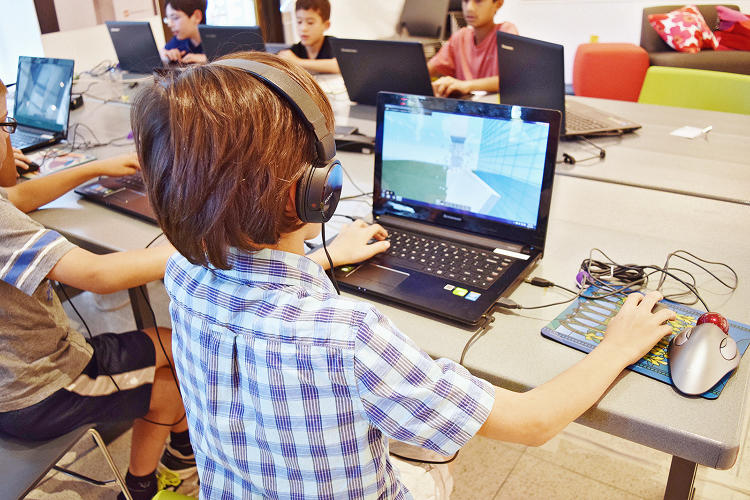
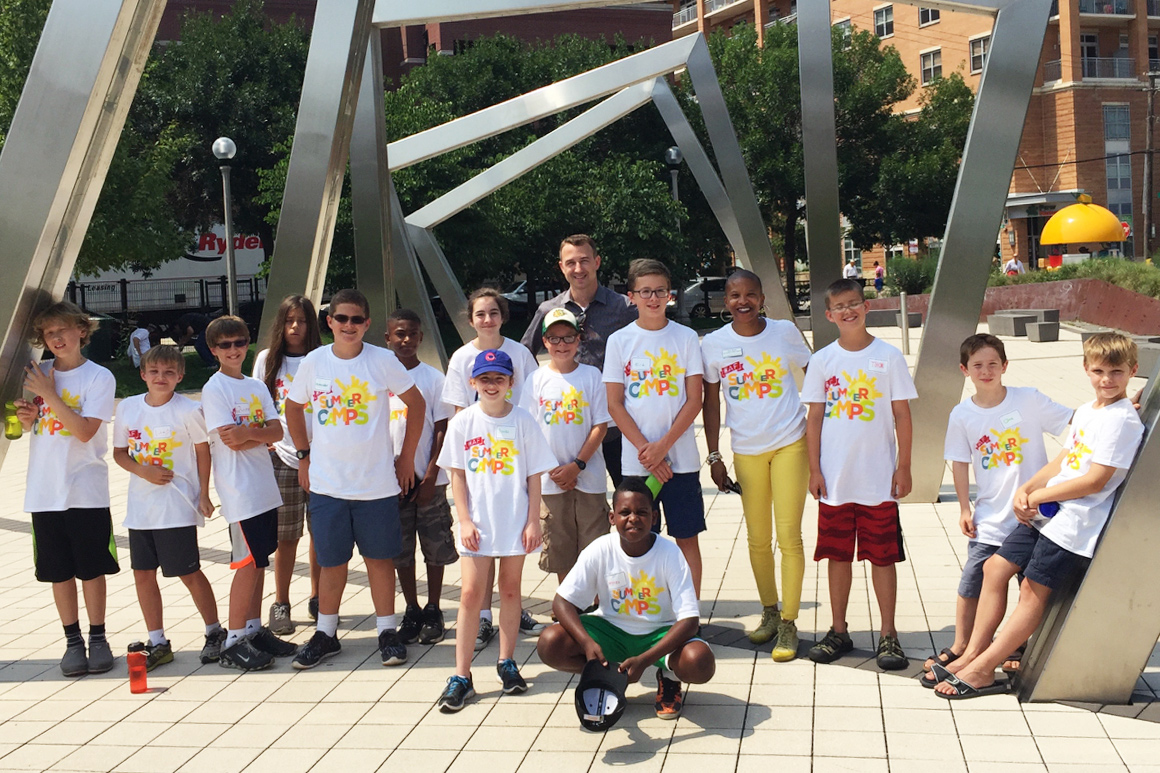
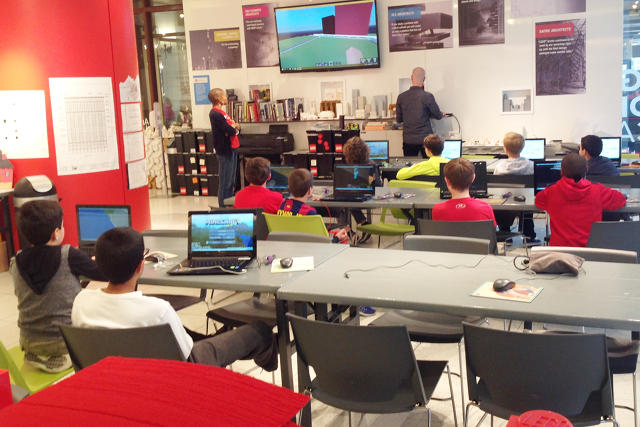
Then, she went to Minecraft camp. At “Skyscrapers of Tomorrow,” a weeklong summer program developed by the Chicago Architecture Foundation, Olive worked on a team—dubbed the Unicorns—that used Minecraft to design a skyscraper that would function as a towering vertical neighborhood.
“It’s super fun because you can make whatever you want,” Olive says. “We even added a pink street.”
The last day of camp, when all the teams presented their skyscrapers to parents and teachers, was by far Olive’s favorite. “There was cookies! Everyone ate a cookie, I ate a brownie.”
“What I think she got out of the camp was the ability to observe how the world is built and organized, and then bring that back into Minecraft,” her mother says.
This fall Minecraft, the blockbuster game acquired by Microsoft for $2.5 billion in 2014, is moving into classrooms with an education-specific edition geared toward elementary school students. Microsoft, which is selling licenses between $1 and $5 per student, hopes to see teachers embrace the game as an entry point to lessons on computational thinking as well as traditional subjects like history, math, and science. To help teachers get started, the company has developed lesson plans around topics like the Temple of Artemis as a way to inspire creative applications for what is in many respects a remarkably free-form digital learning environment.
In the meantime, educational organizations including the Chicago Architecture Foundation have been at the forefront of developing curriculum around Minecraft, which even in its mainstream format lends itself to teaching and learning.
“The kids and parents love it,” says Gabrielle Lyon, vice president of education and experience for the foundation. “The parents are so relieved—they feel like, my kid is on Minecraft all the time, I don’t know if they’re learning anything. They come here and they feel great that their children are developing skills and getting to be social, but also doing things that take them outside.”
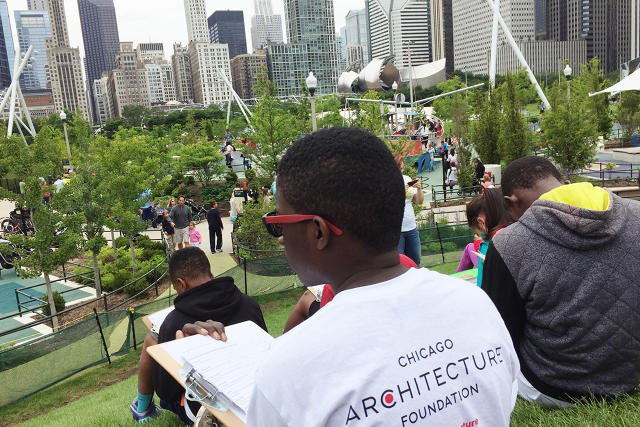
Students in the weeklong camp programs that the foundation introduced in August spend time at their computers, but also visit sites around Chicago in order to observe built environments with a critical eye and experience otherwise abstract architectural concepts, like pathways. On their first day, they measure the size of a Minecraft cube.
“Students leave with a real idea of scale and context,” Lyon says. “‘Read a building:’ we’re talking about materials, we’re talking about structures.”
So far, the foundation has introduced two variations on Minecraft camps, the skyscraper program and another called “Build a City” that emphasizes green space. Both run for five days, culminating in a 90-minute “showcase” that allows students to present their work. During the school year, the foundation plans to offer weekend workshops that use Minecraft to engage students in projects like repurposing historic buildings.
LEGOs and other physical blocks play a supporting role in the Minecraft programs, and a central role in other classes and workshops. Across all tools and mediums, Lyon says, the foundation’s focus on design and critical thinking remains intact. “The technology is a means to an end. Minecraft works best when it’s the best tool to get the job done.”
Chicago parent Jennifer Goolsby says she saw that philosophy come together in her son’s experience. “They don’t even realize they’re learning about arches and trusses and domes,” she says. “The hook is the technology.” Of course, the learning extends far beyond the redstone walls.
Your kids want to make Minecraft YouTube videos – but should you let them?
Millions of children want to be the next Stampy or Diamond Minecart. How to do it is easy enough, but how to do it safely and appropriately is the bigger question
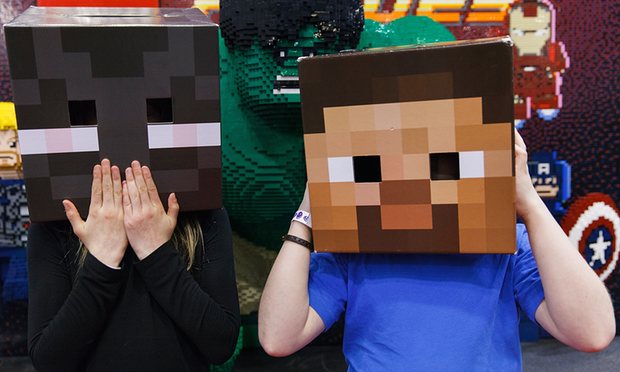
Minecraft has tens of millions of young fans – who are taking their crafting talents to YouTube. Photograph: Andrew Chin/Getty Images
Don’t put your daughter on the stage, Mrs Worthington. But in 2016, what if the stage is YouTube, and your daughter (or son) is demanding to be put on it, playingMinecraft?
That’s the dilemma facing a growing number of parents, whose children aren’t just watching YouTube Minecraft channels likeThe Diamond Minecart,StampyandCaptainSparklez– they want to follow in their blocky footsteps.
“I want to make Minecraft videos and I want you to put them onYouTube,” was how my eight-year-old son put it recently. “I’ve been practising talking while I play, and I’m nearly as good as Stampy now.”
That’s some confidence. YouTuber Joseph “Stampy” Garrett has nearly 7.2 million subscribers to his channel, with videos that have been watched more than 4.8bn times.
His fellow Brit Dan “The Diamond Minecart” Middleton is even more popular, with just under 10 million subscribers and 6.3bn video views.
For tweens and teens around the world, these are the new pop stars. But whereas the historical cliche about pop fans has them miming with a hairbrush to their favourite stars’ songs, today’s children understand that they can do exactly what their Minecraft idols are doing, on the same stage – YouTube.
“I would say that the majority of my audience has tried making video, even if it’s just using their parents’ phone and filming the TV screen as they speak,” said Garrett,when I interviewed him for the Guardian in October 2015.
“Even if they’re not recording, they’re speaking as if they’re doing a video. At a recent event, I asked ‘who in the audience is a YouTuber?’ and the majority put their hand up: they all want to do it.”
For parents, this is sparking several questions. First, could their children really make Minecraft videos for YouTube, and if so, how? To which the short answers are “Yes” and “More easily than you think”.
A third question: should their children be allowed to make Minecraft videos for YouTube? That’s a bit more complicated, as I found out.
Stampy has inspired children to make their own Minecraft YouTube videos.
Getting set up
In my case, the “how?” question had already been answered before my children – the eight year-old’s younger brother wasn’t going to be left out – developed their block-based broadcasting ambitions.
In 2014, I’d bought a £120 device called the Elgato Game Capture HD with the intention of producing some video reviews of apps. It sits in between your games console and computer, feeding video from the former into editing software on the latter. A USB Skype headset plugged in to the computer provided the means for spoken commentary while playing.
If your children play Minecraft on a PC or Mac, you don’t need the extra hardware (apart from a headset) – Google “screen capture” software and pick from options including Fraps, ScreenPresso, Ezvid, Bandicam and many more, with a range of prices.
The resulting videos can be uploaded to YouTube as they are, or edited using any video-editing software: iMovie on Macs, for example. Meanwhile, YouTube has clear instructions online forcreating a new channelanduploading videos.
Parental guidance
With my sons demanding to try their hands at Minecraft YouTube videos, I had the kit and knowledge to do it. Deciding whether or not it was a good idea took a bit longer though.
YouTube has an increasingly diverse and fascinating community of creators making videos for children to watch, but I worried about allowing my kids to become creators themselves: from toxic comment threads to more general concerns about their privacy and safety offline as well as online.
With their teenage years ahead of them, my children will have ample opportunity to be made to feel awful by social media in the future. Would I be a bad parent for potentially exposing them to that even earlier?
I have no ambitions for my children to be the next Stampy or DanTDM, but like a lot of parents, I’d love them to find the ways they like to express themselves creatively – whether that’s writing stories, drawing and painting, making up songs and playing instruments, or other activities.
Making at least one Minecraft video and publishing it on YouTube seemed like a fun project, but one requiring some strict ground rules.
In our case, these included sitting both my sons down and explaining why I didn’t want them to use their real names in their videos – or to talk about their families, where they live or any other personal information.
Both had to make up their own characters, settling on “Percy Panther” and “Chickeny Chap”, and just as importantly remember those names while recording.
We agreed time limits on our recording sessions – half an hour per child split between three 10-minute episodes – and for my part, I learned how to disable comments on the uploaded videos.
Watching the results
So how was it for them, and for me? Our recording session was genuinely fun, with no worrying moments bar one son’s enthusiastic “HELLO! IT’S [FIRSTNAME] DREDGE FROM [TOWN NAME]” introduction when he forgot he was a virtual panther, requiring a swift restart.
Both children loved the creative challenge of making a good video: for example, switching to a camera view of their character at the start and end of each video to deliver their intros and sign-offs; and figuring out what the narrative arcs would be for the episodes beyond “wandering around and shouting”.
It surprised me how much they’d soaked up from watching their favourite online stars, too.
Sometimes that wasn’t such a good thing: both children nicked Stampy’s “BYYYYEEEEEEE!” signoff wholesale until I pointed out that their idol might be a bit miffed if he heard it.
But their ability to explain and entertain while building, fighting and tackling the Ender Dragon was hugely impressive. Today’s children are getting a broadcasting crash course whether in front of a camera or behind it with joypad.
One unforseen parental headache was the view-count aftermath of uploading each child’s first video to my YouTube channel. It really didn’t matter to me how many views they got, and I was secretly relieved that the totals were tiny: 31 and 14 respectively in the first few days after posting.
The problem, as any parent with more than one child will have spotted from that last paragraph, is that the totals weren’t the same: one son is twice as “popular” as the other, and he’s not shy of rubbing it in.
Foolishly, I hadn’t spotted that problem coming. On a more positive note, both are feeling proud as punch that they are “on YouTube like Stampy”, so the intense oneupmanship at home is hopefully being balanced by a boost to their playground credibility with their friends.
Having done it once, would I put my children on YouTube again? Yes, but not to make them famous. The joy of this process was in the making, not in the distribution.
I spent a couple of hours with my sons making something creative that they were excited about, with lots of laughter (and only a few stern rebukes about why the Chickeny Chap brand probably shouldn’t be so reliant on fart and bottom jokes).
I’m no Mrs Worthington, then. But in this case, responding positively to my children’s demands felt like a fun – and safe, with the ground rules – thing to do together.
How an Alaska Teacher Improved Student Attendance with Minecraft
It’s important to keep kids engaged in their learning, but how do we accomplish something that seems so abstract? Part of the solution has to do with making learning irresistible, and in my classroom, learning is driven by curiosities and interests. My students are 21st century students. It doesn’t matter that they are only second graders, and it doesn’t matter that they live on a small island in Alaska. I can motivate my students to learn by tapping into their interests.
And what are my second graders interested in, exactly?Minecraft, of course.
With encouragement from a graduate program at the University of Alaska Southeast and support from my district, I discovered that I could successful using my students’ interest in Minecraft to engage them in all kinds of learning—learning that went beyond a screen. But that wasn’t all. During this time, I also began to notice the positive effect Minecraft was having on attendance.
After conducting a classroom research study on game-based learning, I realized that I could strategically use Minecraft to improve attendance. When I incorporated Minecraft into my mornings, the number of unexcused absences and tardies were cut in half. Students didn’t want to miss any school.
Now, I know what you’re wondering. Minecraft? Attendance? How did I do it? And more importantly, why did it work?
Step 1: Doing the Research and Creating “Morning Craft”
The whole process began with a classroom Minecraftresearch project. This qualitative action research study examined the relationship between game-based learning and truancy in an elementary classroom. During this study, I looked for patterns in attendance behavior when Minecraft was played. The results? The data revealed positive changes in school attendance and engagement.
Prior to the study, I had been using Minecraft to enrich my students’ learning, but I hadn’t put much thought into the time of day I was using it. However, after the study, I realized that the morning was a great time to use the “sandbox game” because it was a great motivator—it got students to school and got their brains thinking right away.
Which my research in tow, I created Morning Craft, which is a simple reference to the “crafting” students would be doing in Minecraft at the very start of the day.
After I devised Morning Craft, I informed my students of the specifics:
Morning Craft only lasts for the first thirty minutes of the school day
If students arrive late, they miss part or all of their Morning Crafting time, depending on how tardy they are.
Morning Craft is not an everyday thing—in fact, Morning Craft can be unpredictable, which encourages students to be on time every day.
Step 2: Crafting With a Purpose
When I first began Morning Craft, I had several days of Morning Craft in a row to test it out. But following, I started to spread these days out. In order to use my Crafting time strategically, we focused on projects. At the beginning of the initiative I chose projects students could jump into without much direction. That way, they could get as much out of the thirty minutes as possible.
However, I also wasn’t afraid to mix it up once in awhile. For example, I added hands-on making and coding activities to teach balance and enrich student learning. Here’s an example: We’ve used our Morning Craft time to building computational thinking withMinecraft Hour of Codeby Code.org. And you never have to stop there—the opportunities for multidisciplinary learning are endless.
Step 3: Opening Up to My Classroom to Parents and Other Observers
Early-morning Minecrafting didn’t just excite the students about getting to school on time—it also engages the parents, who in many cases are the transporters. So, I invited parents, administrators and others in the community to watch our 21st century learning in action, as I felt like it was my job as an educator to help people understand the benefits of game-based learning.
It is important to show others how incorporating Minecraft into the classroom can be a great way for students to learn through active engagement in the curriculum. Being proactive and open from the beginning has helped me gain support and reduce misunderstandings—and that way, students can keep Morning Crafting.
Step 4: Thinking Outside the Box
Many schools around the country already recognize the interest students have in Minecraft, and some even hold after-school clubs devoted to the program. But based on the results I have seen in my classroom, perhaps schools should consider adding before-school Minecraft clubs.
In fact, my Morning Crafting practices are starting to spread to other classrooms in my school and beyond. I feel like I have unlocked a treasure chest with Minecraft and as an educator it’s my job to share the wealth, and I hope educators find success like I have. In addition to mentoring teachers, I recently presented the benefits of using Minecraft to educators from around the state at theAlaska Math and Science Conference. I also use a website I created to inspire teachers to use Minecraft—check it out here.
If you’re still on the fence about this, think to yourself: Are you more motivated to work on something you find enjoyable or interesting? Are you more likely to put in extra time and effort on tasks you find engaging? For most of us the answer is, yes—our achievement is driven by our interest. This is true even for children. Students who lack an interest in their education are at risk to become disconnected from school. And this disengagement can lead to poor attendance, amongst other things.
Don’t succumb to that disengagement. Morning Crafting has shown me that Minecraft can be used as an effective strategy for improving attendance, and it is time schools think outside the box and look to edtech tools as intervention programs.
Minecraft just might be the powerful intervention tool you and your school have been looking for.
I can’t lie, I love it too. WhileI don’t game nearly as much as I used to, if we are stuck in the house, Minecraft is one of the few games I feel okay with my son seeing or playing.
Mojangand Microsoft recently introduced an education edition of the game. When I hear about educational editions of popular games, I become a little skeptical (does anybody remember playing “educational” computer games we played in the 80’s/90’s)?
That includes improving Minecraft’s mapping feature so that a class can actually find its way around, letting teachers lock in certain resources for students to use, and adding an in-game camera and scrapbook to handle screenshots for cataloging where you’ve been. Microsoft is quick to emphasize that its keeping the changes minor because it doesn’t want to make Minecraft into a straight educational product
But does Minecraft have legitimate educational applications?
That really depends on teachers and educationally-focused users developing areas and content that would be helpful in a classroom context. The whole experiment hinges on an educational community coming together to develop content. Another Minecraft educational group (which has been folded into the education edition) has been working on methods to teach programming language to children via the game.
How does a student learn to program playing the game?
Part of the game’s massive popularity isthe ability to develop mods. Mods are like custom cheat codes that savvy players can create. Some educational groups want to leverage the mod system as a gateway to teach children programming.
I have to admit that is a good way to introduce the concepts of programming to younger kids and to get them interested in developing for themselves. Ultimately, programming is problem solving and the game certainly develops problem solving skills.
I think the Minecraft crew have a ways to go before the game can be classified as a true educational asset, but for the teams that are focused on using it as a gateway for programming, they are on to something and I could see using Minecraft to introduce programming to my son when the time is right.