by Stone Marshall | Sep 9, 2018 | Awesome Book News, Free, Intro, Minecraft News, Minecraft questions, news, parent-news, State of Stone, Stone Marshall Book News, Stone Marshall Books, Stone Marshall Club, Stone Marshall Minecraft Adventures, Uncategorized |
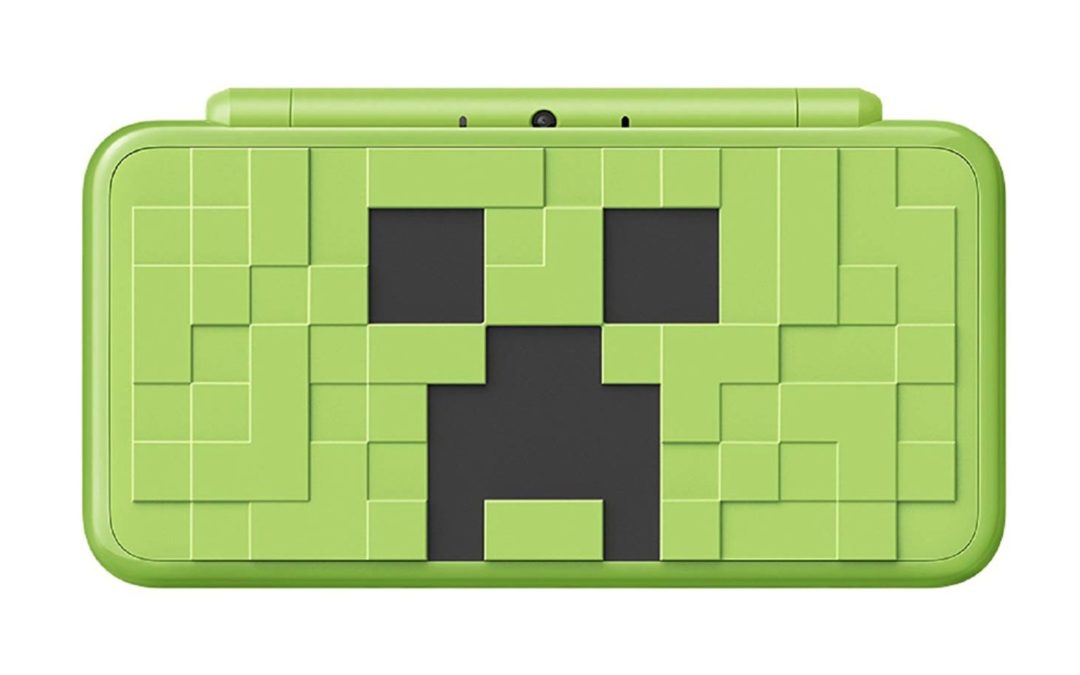
Releasing Minecraft on a popular but ageing New Nintendo 3DS was something of a masterstroke, but the recent news that Japan was getting a New Nintendo 2DS: Creeper Edition left us scratching our heads; surely a global launch was in order? Well, it seems that this may be happening – at least if Nintendo Russia is to be believed.
Images of the console, complete with age ratings for European countries, have been seen in a PDF file sent by Nintendo RU alongside other Gamescom 2018 news. It’s worth noting that Minecraft: New Nintendo 3DS Edition isn’t currently available in Europe, but the PDF has no other information about the game or the new 2DS console, leaving us with only pretty thumbnails to look at.
Minecraft 2DS Creeper Edition
Buried in official announcements, this gaffe went unnoticed by the Russian games media for the whole of Gamescom week, and no official announcements were forthcoming following the event. Was the PR pushed back at the last minute by Nintendo RU? Who knows, but the existence of packaging with EU age ratings would suggest that the Creeper console is indeed headed to Europe at some point, and it would make sense to finally launch the game in Europe at the same time.
by Stone Marshall | Sep 8, 2018 | Awesome Book News, Free, Intro, Minecraft News, Minecraft questions, news, parent-news, State of Stone, Stone Marshall Book News, Stone Marshall Books, Stone Marshall Club, Stone Marshall Minecraft Adventures, Uncategorized |
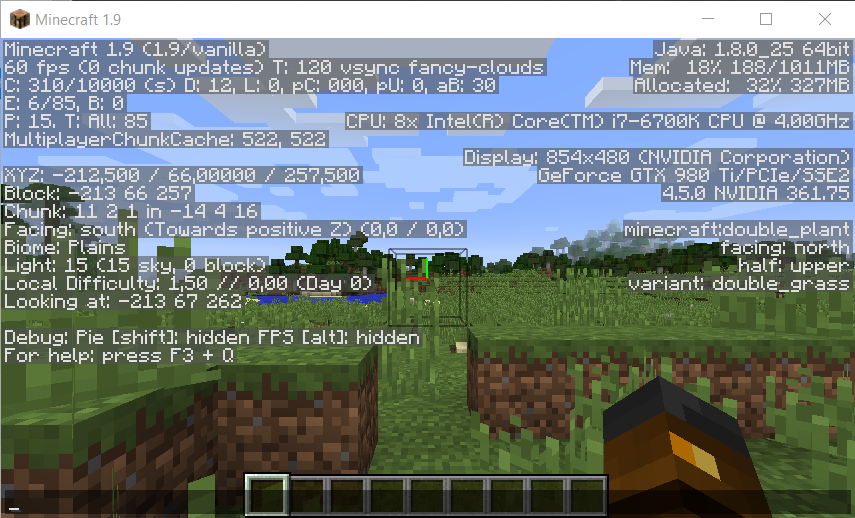
Minecraft is one of the most popular games of this generation, and is available for pretty much every platform, from PC to iOS and Android. It runs really well on most devices, but it could always be better – especially if you’ve got a PC with a lot of RAM to take advantage of. The issue is that, by default, Minecraft is only allocated 1GB of RAM – not great if you’ve got 8- or 16GB of RAM in your PC.
While it was once rather complex to allocate more RAM in Minecraft, the 2.0.0 update changed all that. Here’s how to allocate more RAM in Minecraft on PC and for those running Minecraft on a server.
If you want to play other Minecraft-esque games, be sure to check out our list of the best alternatives to Minecraft.
How to allocate more RAM in Minecraft (V2.0.0 or later)
While it was once a complex task to manually allocate more RAM in Minecraft, Microsoft changed all that with the release of version 2.0.0. Minecraft now offers the ability to adjust RAM in the Minecraft Launcher, with no need to edit text files and risk corrupting the game. Here’s how:
Make sure you’ve got the latest version of Minecraft installed (excluding the demo, which is capped at v1.5).
Check your computer’s total RAM by going to Start > Settings > System > About.
Open the Minecraft Launcher by double-clicking the Minecraft icon on your desktop.
Click the Launch Options tab in the top-right of the window.
Make sure Advanced Settings is enabled (green switch) and select the profile you’d like to edit. If there’s only a single profile, click it.
Toggle on the JVM arguments switch.
A line of text should appear, including the phrase -X1G. Change the 1 to the number of gigabytes of RAM that you’d like to allocate to Minecraft. You shouldn’t allow Minecraft to use more than two-thirds of your overall RAM, or you may run into other issues.
Click Save at the bottom of the window to save your changes.
And that’s it! The next time you load up Minecraft, it’ll use the specific amount of RAM you allocated.
How to allocate more RAM in a Minecraft Server
The process to adjust the amount of RAM Minecraft uses when hosted on a server is slightly different, as it’s not baked into the Launcher like the standard game. It’s not too complicated though:
Open your Minecraft server directory (the folder that contains the Minecraft_server.exe file you launch the Minecraft server with). If you’re unsure of the location, search “Minecraft_server” on your PC.
Click Home > New Item > Text Document on PC to create a text document in the server directory.
In the new text document, paste the following (if on PC):
java -Xmx####M -Xms####M -exe Minecraft_Server.exe -o true
PAUSE
Replace #### with the value, in MB, that you want to allocate (1GB = 1024MB). For example, if you want to allocate 2GB of RAM, you’d enter 2048.
Click File > Save As… and change Save as type to All Files. Name the file server launcher and change the extension from .txt to .bat.
The file you created will now be the new launcher for your Minecraft server – simply double-click it to run. Using the .bat file to launch the server will automatically allocate the specified amount of RAM.
See, easy right? Now go back to enjoying your voxel-based game with better performance than ever before!
by Stone Marshall | Sep 8, 2018 | Awesome Book News, Free, Intro, Minecraft News, Minecraft questions, news, parent-news, State of Stone, Stone Marshall Book News, Stone Marshall Books, Stone Marshall Club, Stone Marshall Minecraft Adventures, Uncategorized |
Minecraft remains an incredibly popular game even to this day, but there are some issues which need to be addressed. For example, the user interface (UI) could be much better and more streamlined. Luckily, Microsoft is aware of these problems and plans on updating the menus in the near future.
Today, a post on Minecraft’s website detailed some of the changes coming to the game. The team wants players to contribute their menu designs by downloading templates and sharing them online.
Menus! They’re essential for helping you navigate Minecraft and get to what you want with ease. That’s why we’ve started working on a major redesign of the Minecraft menu… for all Bedrock Engine-based platforms (so that’s Minecraft on Xbox One, Windows 10, virtual reality, mobile devices, and Nintendo Switch). What would you like to see from an updated Minecraft menu? Whatever your ideas are, we’d love to see them… share your designs with us… you can do that on our our Minecraft Discord channel.
It’ll be interesting to see what fans come up with. Hopefully the developer will incorporate a lot of feedback to make navigating the UI even better. We’ll keep you posted as soon as the team finalizes its plans and shares the new look. Until then, be sure to contribute your ideas. Please keep in mind that the ‘Bedrock’ version isn’t available on PlayStation because Sony blocks cross-play.
by Stone Marshall | Sep 7, 2018 | Awesome Book News, Free, Intro, Minecraft News, Minecraft questions, news, parent-news, State of Stone, Stone Marshall Book News, Stone Marshall Books, Stone Marshall Club, Stone Marshall Minecraft Adventures, Uncategorized |
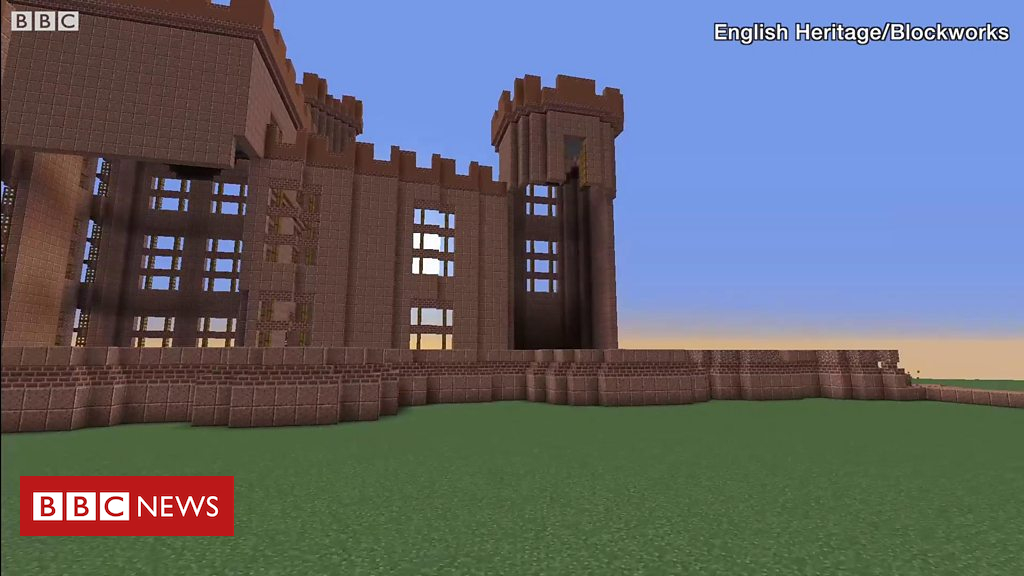
Kenilworth Castle rebuilt Minecraft-style
The ruins of Kenilworth Castle in Warwickshire have been “rebuilt” using the computer game Minecraft.
English Heritage commissioned the project as part of its Love Castles season.
14 Aug 2018
by Stone Marshall | Sep 7, 2018 | Awesome Book News, Free, Intro, Minecraft News, Minecraft questions, news, parent-news, State of Stone, Stone Marshall Book News, Stone Marshall Books, Stone Marshall Club, Stone Marshall Minecraft Adventures, Uncategorized |
Minecraft fans rejoice! The largest convention for a single video game is coming to Austin Sept. 15-16. Minefaire is expected to bring 15,000 people to the Austin Convention Center to celebrate the game.
What’s the big deal about Minecraft? If you have a kid in elementary school, you know.
See a video of the convention:
Here are some of the things you can expect to see at Minefaire:
Minecraft Virtual Reality Experience: Play Minecraft with virtual reality.
Learning Lab: Learn from Minecraft Education Global Mentors who use Minecraft in the classroom.
Build Battles and Challenges: Compete in live gaming arenas, code within the game and learn to solve problems in creative ways.
Minecraft Costume Contest: Dress up, dance and have fun on stage as your favorite Minecraft characters.
YouTube Meet & Greets: Meet Minecraft YouTube superstars who will share their favorite tips and tricks.
Nonstop, Live Stage Shows: Multiple stages will show different Minecraft experiences for different skill levels.
World’s Largest Official Minecraft Merchandise: Of course, there will be shopping.
Tickets are $49-$69.50, but kids younger than 2 are free. Find them at Minefaire.com.
by Stone Marshall | Sep 6, 2018 | Awesome Book News, Free, Intro, Minecraft News, Minecraft questions, news, parent-news, State of Stone, Stone Marshall Book News, Stone Marshall Books, Stone Marshall Club, Stone Marshall Minecraft Adventures, Uncategorized |
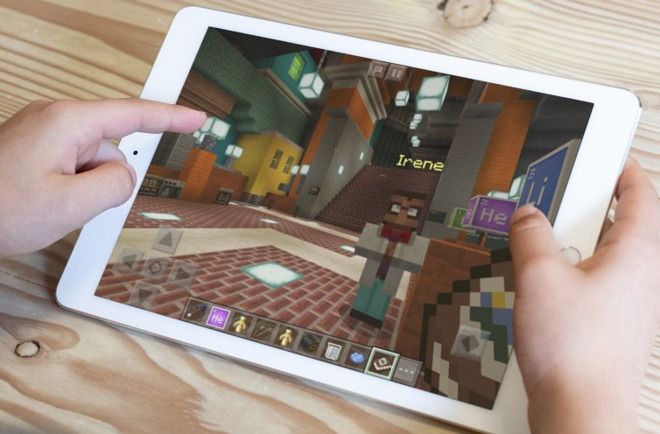
Microsoft is bringing ‘Minecraft: Education Edition’ to the iPad, allowing the version of the block-based construction game for schools to be used via the iPad, giving educators another way to use the game in the classroom.
The educational version of the game will be accessible on iPad from September, around the start of the new school year for most students. The app will be a free download from the App Store, and is designed for use with the Education Edition subscription sold from Microsoft.
Made to combine teaching with the popular building game, schools are able to license it through Microsoft 365 for Education or separate volume licenses, with free trials also available. The edition offers teachers a number of resources to incorporate Minecraft into their classes, including lesson plans, courses, technical support, and mentorship.
Subjects available range from the traditional STEM areas to other areas, including languages, art, and history, among other topics. As well as allowing students to build within the game, the Education Edition also adds in extra features to monitor progress and to allow teachers to lead lessons in the tool.
The move to iPad expands the educational version from Windows PCs and the Xbox, enabling it to be used by schools who have embraced Apple’s tablets in lessons.
“Minecraft: Eduction Edition on iPad unlocks new and intuitive ways of collaborating and sharing and has revolutionized the way our students and teachers explore curriculum and projects,” said Kyriakos Koursaris, head of education technology for PaRK International School. “The features allow for deep and meaningful learning, and the values it promotes, from inclusivity to 21 century skills, empower everyone to use technology with extraordinary results.”
At the same time, Microsoft advises some features from the Education Edition will be arriving in the consumer version. Users of the Windows 10 and Xbox console versions of Minecraft will soon be able to use the Chemistry Resource Pack, which teaches lessons about elements and compounds, the periodic table, and allows the creation of new items including helium balloons, sparklers, latex, and underwater torches.
