Sony Reveals Minecraft-Like Exclusive Boundless

Sony Reveals Minecraft-Like Exclusive Boundless

Sony revealed a new title at Paris Games Week today, and it’s releasing next year exclusively on PlayStation 4.

The game is Boundless, and although details were light during the reveal, it has clear Minecraft allusions, from the handheld tool in the character’s hand, to the blocky structures surrounding the bustling wildlife.

Portals to what looked like other worlds were also shown, and as the player stepped through one, the surroundings, and chromatic palettes, changed.

Not much other gameplay was shown before Sony cut to its next reveal, but Sony vice president of worldwide studios Europe Michael Denny did confirm a 2016 release date.

For more news coming out of Paris Games Week, and further news about Boundless, stay tuned to GameSpot.

Sony Reveals Minecraft-Like Exclusive Boundless

New Spoilers for ‘Minecraft: Pocket Edition’ 0.13 Update – Adding Rabbits and Probably Reworking the UI

New Spoilers for ‘Minecraft: Pocket Edition’ 0.13 Update – Adding Rabbits and Probably Reworking the UI

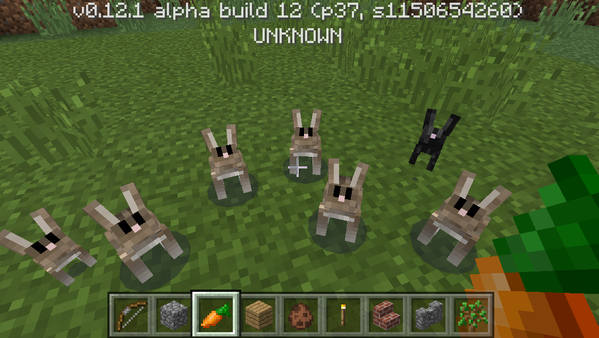
If you’ve been playing Minecraft: Pocket Edition [$6.99] since the big 0.12 update, you’re probably enjoying how the game is now closer to the PC version than ever before with all kinds of new features added and plenty others reworked. Still, the work doesn’t end here since the developers are currently working on the 0.13 update that should add working redstone circuits among other features. One new feature that we now know about is the addition of rabbits, one of the later additions to the PC version. However, these bunnies will be different than the ones in the PC version: they are smaller, will run away from you, can be one-shot with a bow, only spawn in forests, and they’ll eat your crops. Now, that last one is going to be…fun. I can see myself turning into an old geezer with a bow screaming at those bunnies to leave my crops alone.

CQi6voOWcAAhF9V

In addition to the bunny addition, going by developer Tommasso Checchi’s twitter feed, the stonecutter might go the way of the dodo and there will probably be some changes to the UI since he feels there are issues with the UI in the mobile version (he doesn’t specify what issues). He’s also experimenting with dragging & dropping items in the toolbar. Mojang plans to have a live 0.13 developer stream tomorrow at 11:30 EST at its Twitch channel to talk about the upcoming update. They will be answering questions from here, so you still have time to go post some questions.

New Spoilers for ‘Minecraft: Pocket Edition’ 0.13 Update – Adding Rabbits and Probably Reworking the UI

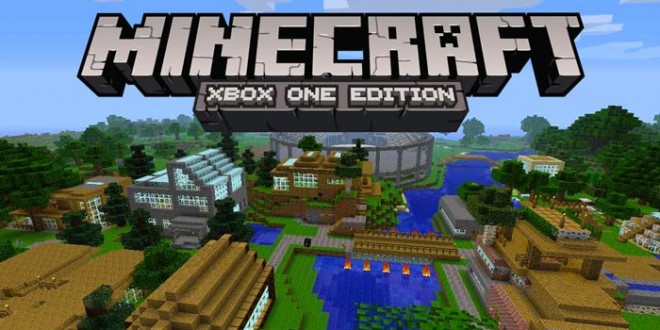
Minecraft Xbox One Gets New Update, Adds Star Wars Prequel Skin Pack Trial Content And More

Minecraft Xbox One Gets New Update, Adds Star Wars Prequel Skin Pack Trial Content And More

Minecraft

Minecraft Xbox One Gets New Update, Adds Star Wars Prequel Skin Pack Trial Content And More

Minecraft, the popular game created by Mojang now available in all regions on consoles, PC and smartphones, has been receiving constant updates on all formats adding new features and content. The console versions of Minecraft have been receiving new content regularly in the form of new free updates and extra skin packs, which allow players to customize things further. A few hours ago a new update adding support for more skin packs has been released for the Xbox One version of the game.

The new Minecraft Xbox One Edition update adds Halloween 2015 Mash-up skin pack trial and content, allowing players to get into the Halloween mood. Also added by the new update is the Star Wars Prequel Skin Pack trial content, which allows players to use skins inspired by the popular Star Wars movies. It’s also been confirmed that the Halo Mash-up update is now available.

Exactly one month ago the Minecraft PlayStation Edition, available on PlayStation 3, PlayStation 4 and PlayStation Vita, has received a new update. The 1.20 update introduced the Doctor Who Skin pack trial and content as well as fixes for a memory leak which caused frame rate issues.

Earlier this month it’s been confirmed that a new flying cape is going to be introduced in the PC version of Minecraft in the future. Unlike the other capes currently available in the game, the new flying cape cannot be crafted and has to be found to be used. Once found, the cape will replace any other equipped cape.

Minecraft is now available on a variety of formats including PC, PlayStation 3, PlayStation 4, Xbox 360, Xbox One and smartphones. More on new content coming to the popular game created by Mojang will surely be coming soon and we will keep you updated on everything regarding the game as soon as possible so stay tuned for all the latest news.

Minecraft Xbox One Gets New Update, Adds Star Wars Prequel Skin Pack Trial Content And More
Boo! Minecraft: Pocket Edition update is out!

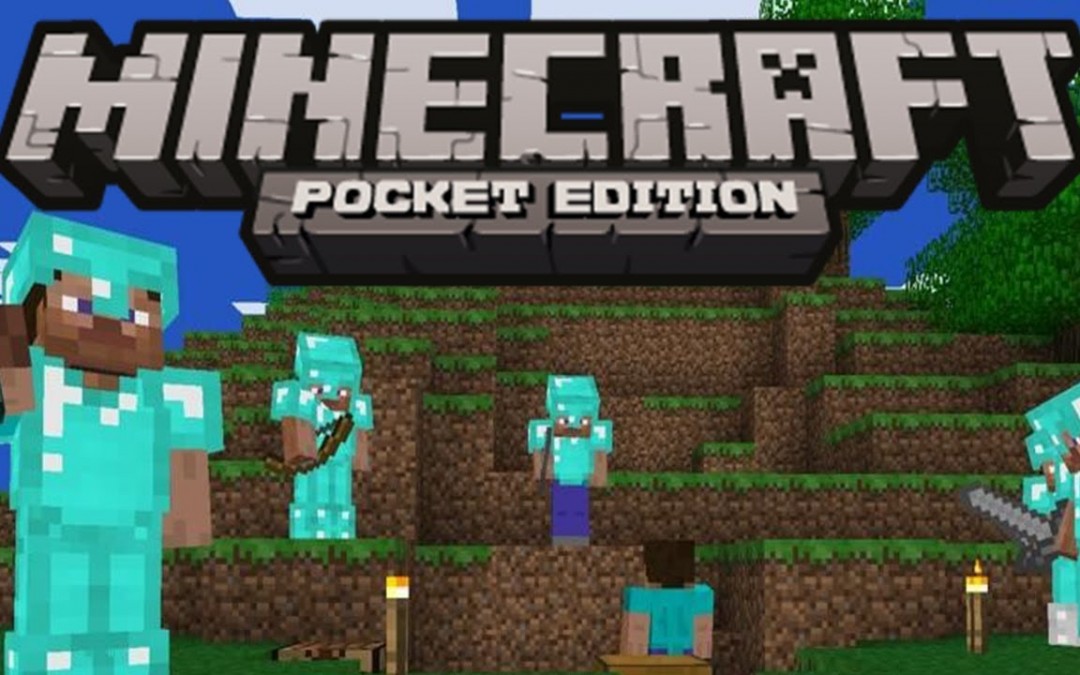
Boo! Minecraft: Pocket Edition update is out!

Hello!

We’re super happy to present update 0.12.3 for Minecraft: Pocket Edition and Minecraft: Windows 10 Edition Beta.

Here’s the tweaks:

  • [JIRA 9985] Tooltip position was incorrect and visibility time was too short
  • Sneaking (Crouching) animation is now visible from First Person View
  • Fixed so controller doesn’t lose its functionality on the death screen
  • Prevented Mojang logo from appearing sideways on iPhone 6+
  • Stopped so mining strength doesn’t passively grow, allowing one-hit breaks
  • Item from 1st slot of hotbar got duplicated when placed on different hotbar slot from inventory
  • Fixed so saving doesn’t corrupt Monster Rooms
  • Controller tooltip (“[X] Tab”) doesn’t overlap in the hotbar in Inventory Menu
  • Player couldn’t use controller’s D-pad to navigate through Inventory Menu

Have a great gaming weekend and if you manage to find some scary bugs, please report here:

Boo! Minecraft: Pocket Edition update is out!

Minecraft 1.21 Update Release For PS3, PS4, PS Vita, Xbox One and Xbox 360

Minecraft 1.21 Update Release For PS3, PS4, PS Vita, Xbox One and Xbox 360

Minecraft 1.21 Update Release For PS3, PS4, PS Vita, Xbox One and Xbox 360


The new Minecraft update has been released for PS3, PS4, PS Vita, Xbox One and Xbox 360 and it brings some new skins along with some bug fixes, Here are the patch notes for this new Minecraft version:

– Halloween 2015 Mash-up Pack trial content has been added;
– Colored light from torches have been added – this is for the Halloween 2015 Mash-up Pack, Star Wars Prequel Skin Pack trial content has been added and some memory leaks issues have been fixed.

The Halloween Mashup Pack comes with 43 skins and textures packs and here are a few of the skins that this new pack features:

– Tree Face, Mad Doctor, Dr. Jekyll and Mr. Hyde, Wicked Witch, Swamp Monster.

As expected, a few of these new skins can be downloaded for free, but if you want all of them, you will need to pay 4 dollars.

At the same time, the Star Wars Prequel Pack comes with over 50 skins and costs 3 dollars, the skins that this pack will come with are from the Star Wars Revenge of the Sith, Star Wars The Phantom Menace and Star Wars Attack of the Clones.

Also, the developers have worked on finding solutions for the issues that were causing memory leaks, these problems have been solved and now you will notice that the game runs smoother than before.

If you are a Minecraft fan, you will surely spend a few bucks and purchase this new pack.Do you prefer to play Minecraft on your computer or on your console? What are your thoughts about the Halloween 2015 Mash-up trial that just got released for Minecraft?

Minecraft 1.21 Update Release For PS3, PS4, PS Vita, Xbox One and Xbox 360

Jotun Guide: How to Beat Hagalaz the Storm God

Jotun Guide: How to Beat Hagalaz the Storm God

Jotun guide hagalaz storm god

If you play through Jotun in the proper order then Hagalaz is the last boss you have to defeat before heading to the final battle. This means she’s even harder than the ones you’ve fought through before, which should give you pause. However, if you know the patterns and figure out the best strategy then you can take her down, it just might take a couple of tries. Here’s some tips and tricks to take down Hagalaz and finish Jotun once and for all.

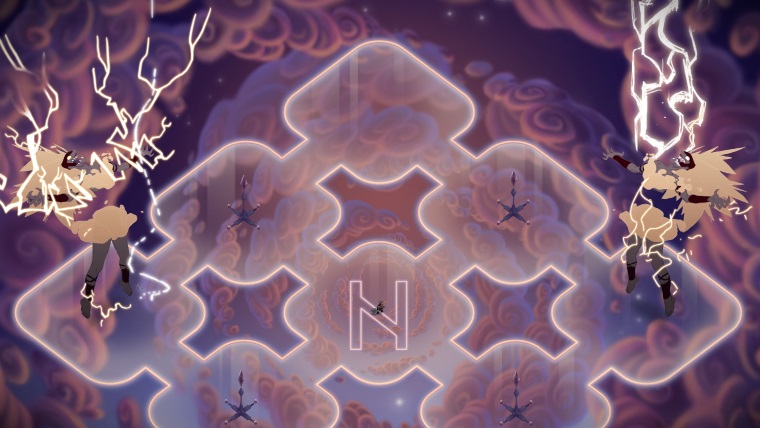
Hagalaz is all about lightning and electricity. It’ll be flying around, so avoid it at all costs, but it will also be your main adversary. There are four pillars around the battlefield which you can use to take down Hagalaz. Of course you can just stand underneath her and whale away with the weak attack, but this will take too long and you’ll probably die before you have a chance to take her down.

Hagalaz has two main attacks, a directed electricity beam and lightning. You’ll want to use these to hit the four pillars. The best way to do this is to get near Hagalaz, attacking when you have an opening. Once she starts charging her directed attack, be sure you are standing between her and an unpowered tower. The attack will hit it, powering it up.

If she fires off her lightning attack you’ll have to do some running, avoiding the white circles that signal an incoming strike. Head toward the nearest unpowered tower, moving away as soon as a white circle appears near it. If you can’t roll out of the way of an incoming lightning strike use Heimdall’s Shield if you have it. While you’ll still get blinded, you won’t take the massive damage you would otherwise.

Once all four towers are electrified they’ll cause lightning to hit Hagalaz directly, making her pass out for a bit. You have enough time here to hit her with two strong attacks, or one hit of Thor’s Hammer. Do this over and over till you get to the last half, where things change a bit.

Halfway through the battle Hagalaz will split into two beings. This isn’t a mirage or magic trick, there are actually two of her, which means you can hit either one to deal damage, one of the few good things that happens in Jotun. Target whichever one is easiest to hit, and repeat the strategy above.

It is now even more important that you power up the four towers, because they’ll knock out both versions of Hagalaz when they strike. This gives you a total of four strong attacks on her, if you’re quick enough to get between them.

If the towers are a no-go for some reason, you can actually get one Hagalaz to attack the other with their directed electricity strike. This will knock out the on, but leave the other standing, so if they’ve called lightning down on you, be sure to stay on the move.

Just keep all of this up, electrifying the towers as much as possible, and you’ll soon take down Hagalaz. Good luck!

Jotun Guide: How to Beat Hagalaz the Storm God