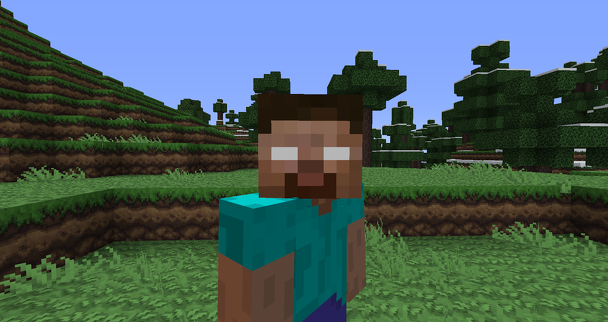
Damn, I’m playing a full-feature version of Minecraft on my couch. In my bed. And yes, even in the bathroom. I can play Minecraft wherever I go. You cannot judge me, because I am truly free.
The truth is, I’ve been a long-time fan of Minecraft, and the simple survival genre as a whole. I enjoy playing these procedurally-generated worlds that stretch out in front of you, offering you the chance to explore, build, fight, and frequently… die. I play Minecraft, Terraria, Starbound, and Astroneer. I even enjoy adjacent experiences like Rimworld. There’s just something enjoyable about throwing a bunch of stuff in a sack, shaking it up, spilling it all out on the floor, and saying “Go have some fun.” These games feel like playing with Legos when I was kid.
I think I get the point. [All screenshots native capture from Switch Portable mode, unless otherwise noted.]
Most people know what Minecraft is. You’re thrust into a randomly-generated world, where you have to mine the landscape to build your shelter, craft weapons and other items, feed yourself, and ultimately tame the world. Many may have seen the massive structures and artistic works hardcore Minecraft fans have built in the game’s Creative Mode: cities, working calculators, and homages to their favorite movies, TV shows, and more. Minecraft is a game that gives you back what you’re willing to put into it.
So what differentiates the Switch Edition from what came before?
First, it’s worth separating the desktop client, Pocket Edition, and Console Editions. The Desktop client for PC and Mac is by far the most fully-featured, with infinite worlds, great performance on even years-old PCs, and full support for add-ons and mods. The Pocket Edition is Mojang’s second focus, with add-on support and infinite worlds since the hefty 0.9.0 release in 2014. My major problem with Pocket Edition is it uses on-screen controls, which are frankly not my jam, and performance is variable depending on which iOS or Android device you’re using.
Then there’s the Console Editions, which is where the Switch version has room to shine a bit. All of the console editions retain a world size limit. Any world you build will eventually have an invisible wall and endless sea you cannot cross. For the PlayStation 3 Edition, Xbox 360 Edition, PlayStation Vita Edition, and Wii U Edition, you’re stuck with a maximum world size of 864×864 blocks, known in the game as the “Classic” size. On the Xbox One Edition and PlayStation 4 Edition, you have more options, including Small (1024×1024 blocks), Medium (3072×3072), and Large (5120×5120).
The Switch Edition tops out at the Medium size, with a maximum world size of 3072×3072 blocks. This is pretty big if you’re not trying to build something massive within the game. Most players can rock a Medium size world without any trouble, and in fact, Infinite worlds can see players getting lost if they don’t keep track of their surroundings. (Pocket Edition Infinite worlds tend to get a bit glitchy near and in the Farlands if you keep walking in the same direction.)
So the world size is big enough and like all the console editions, the Switch Edition benefits over of the Pocket Edition from having a standard spec: every Switch is the same, so the developers had something to target. Minecraft: Switch Edition runs at a solid 60 FPS as far as I can tell, in the native resolution of whichever mode you’re playing in: 720p on Portable, and 1080p on Television. (Checking with the folks over at Digital Foundry if the game is upscaled 1080p in Docked mode.) It looks great and my only issue is the on-screen text is a bit tiny in Portable mode.
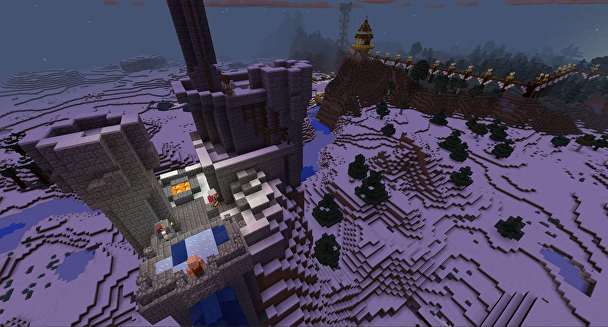
To retain that solid performance, the cutback in the Switch Edition is the draw-distance. In Creative Mode, you can fly, which gives you a birds-eye view of the world. In the screenshots I made for this review, what looks to be the edge of the world is simply where the game stops drawing the landscape. There’s significant and noticeable pop-in when you’re moving up that high. Of course, this is an issue of floating in Creative Mode; for most of your average play sessions, you don’t notice it as much because you’re on ground level.
An example of the hard-line draw distance. Notice the pop-in you get just by moving a bit.
So you have great performance in Portable and TV modes, with the potential issue of draw distance. This puts the Switch Edition ahead of the Vita Edition, which could be spotty in certain circumstances. The world size also places it ahead of the Wii U and Vita editions. So what else differentiates the Switch Edition?
Minecraft Switch Edition gains more ground over the Vita and Pocket Editions with local split-screen multiplayer. You can play in splitscreen from a single Nintendo Switch, with a maximum of four players. Performance doesn’t seem to take a hit in two-player split-screen in Portable and Tabletop modes. (I wasn’t able to try four-player to see if that’s the same deal.) Unlike some Switch titles, you cannot play the game on a single Joy-Con though; you’ll need another pair or a Pro Controller for each additional player. Most of the home-based Console Editions have split-screen play available, but this is the first time you can take it on the road.
Disconnecting just switches you to offline mode.
Online play is a bit odd on Minecraft Switch Edition. You can’t invite others to join your game. Instead, if you start up a new world, you can tag it as “online”. Anybody in your Friends List can see that world from their “Join” menu option if you’re online and playing. It’s pretty easy, but I do wish there were more choices for party online play. There’s also no way to communicate online: there’s no emote or simple chat system. You’re just sort of online and doing your own thing in the same world.
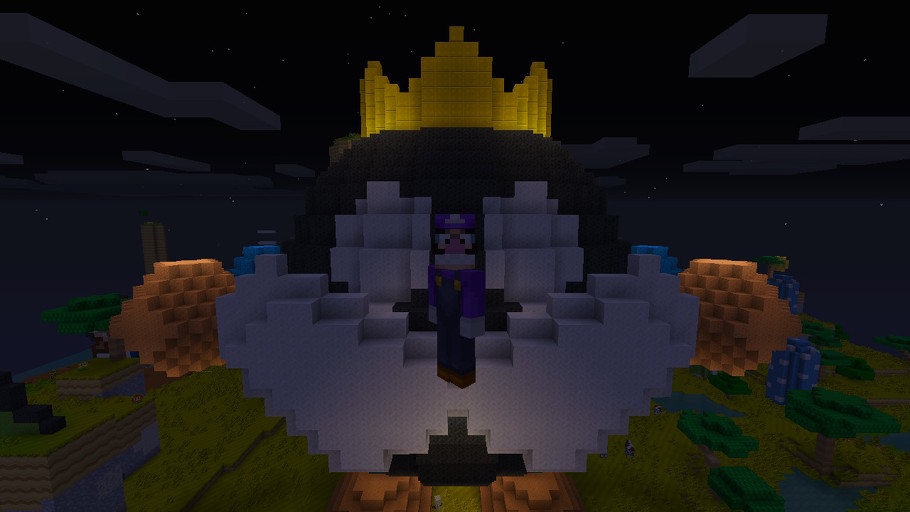
As a final shot at sweetening the pot, Nintendo and Mojang kicked in the Super Mario Mash-Up Pack with every copy of Minecraft Switch Edition. This means players get a Super Mario texture pack alongside the already pre-loaded texture packs, a set of Super Mario skins for your characters, and an entire Super Mario-themed world for you to explore. The pre-loaded world also includes chiptune Mario music for you to rock out to while you explore Minecraft’s Mushroom Kingdom. (Why the huge statues of Mario? Is he their emperor, a harsh dictator that rules over them with an iron fist?) It’s a fun little addition to the game, but I doubt it’ll push anyone over the top when it comes to choosing a version to play.
As of the time of this writing, the built-in Minecraft store for buying new skins points to the Nintendo eShop, but those items aren’t live yet. Hopefully, some of the more interesting Console Edition skins make the transition over to the Switch Edition, like the Star Wars, Doctor Who, and Simpsons Packs.
It’s worth noting that the Switch Edition shares the same $29.99 price as its Wii U counterpart, as opposed to the $19.99 price tag the other Console Editions carry. Like the Wii U version, Nintendo and Mojang are justifying the price bump with the inclusion of the Mario Mash-Up Packs and six other DLC packs. Basically, the Switch Edition is the Fan-Favorites Pack you can buy on PlayStation 4 or Xbox One, but you lack the ability to get the game by itself.
It’s always Waluigi Time.
There are some questions I have that currently haven’t been answered about the Switch Edition. Will it receive the Marketplace currently in the PC and Pocket Editions? (Doubtful.) How long will it take for the Switch Edition to be updated to the current Console Edition? (It currently uses a slightly older build from January?)
For the launch titles, folks are seeing all their played time just disappear.
The latest Kirby game only adds to his considerable powers.
Despite those lingering questions, you get what stands as the best portable edition of Minecraft yet. Sure, you lose out on Large and Infinite world sizes, but you have the great performance and splitscreen play of the home console versions with the portability of Pocket and Vita Editions. That’s enough to pull the Switch Edition ahead for me. If I’m playing at home, it’ll be on PC, but anywhere else, Minecraft Switch Edition is where it’s at.
The launch of the Nintendo Switch is, in many ways, the opposite of the Wii U’s launch. Nintendo poured a lot of money and effort into marketing the Switch, it hit the shelves with a critically acclaimed must-have game from a beloved property, and the system boasts a simple but extremely practical gimmick (an easy switch between TV play and portable play).
Nintendo recently pulled another smart move: It made dang sure the Switch received a port of Minecraft ASAP – pre-loaded with the exclusive Super Mario Mash-Up Pack, no less. Minecraft still commands kids’ attention, to say nothing of their pocket money (or their parents’ money). Like Pokémon, count on it being around for the long haul.
Nintendo’s rush to bring Minecraft to the Switch demonstrates the company can learn from its mistakes. The company pooh-poohed Minecraft until the tail-end of 2015, when the Wii U edition of Minecraft landed on the troubled system and instantly became one of its top-selling titles, especially in Japan. Minecraft on the Nintendo Switch can only help bolster the system’s sales in a big way, even though its numbers are already kind of bananas.
Like USgamer’s own Mike Williams, I’m a bit of a Minecraft fan. I’m not as rabid over Mojang’s boxy world as the average ten-year-old, but I can easily get lost in hours of mining, farming, and adventuring. Minecraft on the Switch is a big deal for me, because I’m ever-curious about which version of the game can offer me the best experience.
Mike’s review of Minecraft: Switch Edition breaks down the differences between the PC version of the game, the portable versions of the game (i.e. the iOS and Android version), the console versions, and the Nintendo Switch version.
Here, I list my own quick breakdowns of each Minecraft format (excluding the Wii U and the Vita, because both are dead in the water). I also pick my favorite, and offer up my reason for the choice.
Hopefully this guide will help you pick the version that’s right for you, too!
PICTURED: Fresh, unspoiled land begging for a destructive hand.
Minecraft for the PC
Pros:
By far the most robust version of Minecraft. It’s been around forever, and its online community is huge.
It runs on pretty much any PC (put that 486 away, you know what I mean).
Its worlds are infinite.
It supports tons of mods and add-on features.
Can’t beat a keyboard and a mouse control setup, though I suppose it depends on whom you ask.
It’s as portable as Minecraft gets. Wherever your phone or tablet exists, there’s Minecraft.
Its worlds are infinite.
It supports add-ons.
It supports mods, though installing them can be tricky if you don’t know what you’re doing (especially on iOS).
There are online multiplayer options.
It’s cheap ($6.99 USD, and often on sale)!
Cons:
Its touch-based controls are clumsy compared to other options.
Performance varies depending on your device, especially if you’re using an Android device.
Every edition of Minecraft is the “Punch Trees” edition.
Console Editions (Xbox One, PlayStation 4)
Pros:
World size is finite, but you can choose between three pre-set sizes. This can help keep you from getting lost.
Local co-op play for up to four players (split screen).
There are online multiplayer options.
Add-ons are supported.
Cons:
Uses a controller instead of a mouse and keyboard. Not the worst thing if you’re a console gamer, but people used to PC game controls might have a hard time.
Mod support is spotty at best. It’s possible on the Xbox One if you employ some wizardry via Windows 10, but not really possible on the PlayStation 4.
Not exactly portable.
“ALL HAIL MARIO. MARIO IS LIFE.”
Minecraft: Switch Edition
Pros:
Comes pre-loaded with the Super Mario Mash-Up Pack.
Supports other add-ons.
Local co-op play for up to four players (split screen).
Lets you select items in your inventory with the touch screen if you’re playing in handheld mode (no drag-and-drop, though).
Using controllers in handheld mode keeps your fingers off the screen and gives you a better range of vision.
Switch between portable and TV mode instantly. Game looks great in both modes, though there is a bit of pop-in if you fly up high.
Cons:
Online multiplayer options are bare-bones (see Mike’s review for more info)
No mod support.
Locked into a “Medium” game world size (3072 x 3072 blocks).
Local players each require their own set of Joy-Cons or a Pro Controller; no single Joy-Con support.
Costs more than other console editions of Minecraft ($29.99 USD vs $19.99 USD).
No Homers Club.
So which is the best version of Minecraft?
For the complete experience – easily accessible mods, frequent updates, well-rounded control options, and a robust online community – PC is your best bet.
The Nintendo Switch edition of Minecraft comes in at a close second. I’ll echo Mike in calling it the best portable version of Minecraft, though there are a couple of caveats.
For one thing, local split-screen Minecraft is a lot of fun, but the Switch version’s inability to support individual Joy-Cons is disappointing. For another thing, the Switch version’s flaccid online multiplayer capabilities are a bummer. That could change in the future, but at the time of this writing, we don’t know if or when it’ll happen.
That said, I value Minecraft more as a relaxing experience rather than a communicative one. And there’s nothing more relaxing than playing Minecraft wherever you like with a solid control set-up that combines a touch screen with traditional controllers.
If you’re part of a household that has a mix of old and young Minecraft fans, Minecraft for the Switch is also a safe purchase. Your family will have a blast playing together locally, and the fun can go portable in an instant if someone needs the TV. Just make sure you have an extra set of Joy-Cons on-hand, and / or a Pro Controller.
If, however, you have a kid who wants to play Minecraft because all his friends are playing it online, and if you’re not especially interested in joining in, go ahead and nab the PC version.
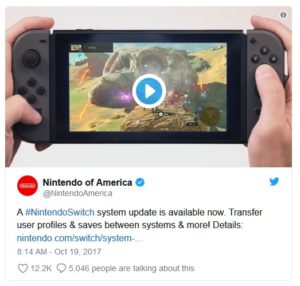
Nintendo just pushed the Version 4.0.0 update for the Nintendo Switch. The new update adds—among other things—the ability to transfer profiles and save data to another system along with video capture for certain games. Two features oft-requested by the Nintendo community.
The Nintendo Switch 4.0.0 update comes with a variety of new features and improvements including:
Video capture for select games
New profile icons from games like Super Mario Odyssey and The Legend of Zelda: Breath of the Wild
The ability to transfer profiles and save data to another Nintendo Switch system
Pre-purchase options for select games on the Nintendo eShop
Video capture and data transfer are notable inclusions in the update given how popular these features are in other systems like the PlayStation 4 and Xbox One. So far the “select games” available for video capture are The Legend of Zelda: Breath of the Wild, ARMS, Mario Kart 8, and Splatoon 2.
To capture video, simply hold down the capture button during gameplay. Players can trim the beginning and end of any given clip and post them to social media like, Twitter and Facebook.
You can download the update right now by connecting your Switch to the internet and finding the “update” option in the system’s settings menu.
Update: The post has been changed to reflect additional details regarding video capture on the Nintendo Switch.
Minecraft is expanding in a big way. No longer will the massively popular construction game be fractured along console and platform lines. Thanks to the newly announced Bedrock Engine update, Minecraft will be connected across all platforms (except PlayStation), with more features so that Minecraft, just Minecraft, will be your one stop shop for everything you love about the game. Oh, and did you see how gorgeous it looks in 4K?
In a press preview for Minecraft’s Bedrock Engine, Microsoft descriped the update as a future facing, unifying update that will prove Minecraft is “better together.” The impression I got however, was that Minecraft was making a big move towards evolving from a game, into a “creative platform.”
What the Bedrock update means is that edition names are gone, because there are no more editions. The Minecraft you buy on the Switch will be the same you buy on the Xbox which will be the same you buy on mobile. All the DLC you’ve ever bought on any version of Minecraft (sans PS4, PS3, Xbox 360, and Wii U) will jump with you across a shared account. It’s not perfect yet, some DLC will encounter issues jumping from one console to another, but Microsoft is hard at work ironing out those issues.
Until the update, Minecraft fans have created individual marketplaces and servers to branch out their creative dreams. Not so with the update which will incorporate server experiences into the core game. These servers and realms can be discovered in game, which the developers are very excited about, primarily with the idea of bringing fanmade experiences into the core game. To help with the transition, Minecraft incorporated some of the most popular private servers like Lifeboat into the proper game.
Finally, Minecraft will add a 4K visual update in preperation for the Xbox One X’s new graphical powers.
I have some reservations that Minecraft is soldifying a grip on the creative works of others, but it seems that both private Minecraft developers and the Minecraft team have come into a mutual agreement, and the chance for casual players to discover these new servers naturally in the course of just playing the base game is good for exposure. At launch, popular servers like Lifeboat, Mineplex, and ILVL PVP will be featured, with Minecraft reaching out to more private servers in the future. Minecraft is also expanding multiplayer teams from five to seven to help facilitate this new focus on interconnected play. In addition, there is an open application process for independent developers who feel that their servers will be a good fit for Minecraft.
Along with the Minecraft encyclopedia which will be included into the core game, this move sounds like a big assimilation for the game. Soon, Minecraft, the game itself, will be the only service you need to have access to literally all things Minecraft.
While that sounds like a natural conclusion, Minecraft’s decentralized growth means that this is actually a pretty big deal. And while I’d hate to see the unofficial Minecraft weaken as a result of the Bedrock update, it is very interesting to see Minecraft essentially become a creative platform unto itself, something that has the potential for even further growth if need be.
Time will tell if the update’s centralizing move ends up growing the game to even bigger heights than it is already. The Bedrock update hits this Summer.
Back in September, Microsoft and Mojang launched the Better Together update for Minecraft on Windows 10, Xbox One, iOS, and Android. This update allowed players on those devices to play together and access the Marketplace on any of those platforms.
The new Better Together versions of Minecraft are known collectively as the Bedrock Edition. The Bedrock games avoid the “___ Edition” naming scheme on their respective platforms, being just “Minecraft” instead of “Minecraft: Pocket Edition” or “Minecraft: Windows 10 Edition”. This is the new foundation and codebase Mojang wants to build upon, hence the name.
In the case of Minecraft on Xbox One, if you purchase the game now on the Xbox Store, it’s the Bedrock Edition, called “Minecraft”. If you had the previous Minecraft: Xbox One Edition, you get the new version for free, but the old one remains installed on your console. This allows players to switch back and forth between both versions and players are finding they prefer the old Xbox One Edition.
If you go to the Microsoft Store page for Minecraft: Xbox One Edition, the game is rated at 4.5 stars out of 5 with 111,000 reviews. In contrast, the new Minecraft entry is rated at 2.5 stars out of 5, with 5,634 reviews as of this writing.
“The Xbox One Edition was designed for Xbox, this version is literally a port from PC. The creative inventory is a disarray and difficult to navigate, placing blocks is much slower as being precise is terribly difficult. The graphics are a disgrace, the game crashes every 30 mins, everything is laggy,” said one review. (Edited for spelling and formatting.) 1
“The new crafting and inventory menus are quite cumbersome and seem rushed. It now takes easily twice as long to perform trivial tasks like swapping items in these menus in creative mode. The previous setup was much more streamlined and easier to use,” added another review.
“I played this version in beta and it was not ready for a public release. There are numerous problems that went unaddressed or were flat out ignored. To list a few: Frame rate is extremely unstable and drops considerable. This version is not optimized for redstone and more complicated devices produce massive amounts of lag,” said one review from last month.
The previous Minecraft editions were customized for their specific platforms by 4J Studios, who no longer seem to be involved in the new versions. They took into account the technology behind each console or device, and tailored the releases to those platforms.
Players are saying that the Bedrock Edition represents a step back. There are lost features like large biomes, some players dislike the new UI and Creative mode controls, there are reported frame rate issues, lag, and crashes that didn’t occur in previous editions, and some players can’t even convert their worlds over to the new version. One of the top requests on the Minecraft support site is for a console UI for the Bedrock Editions on Xbox One.
Players on Xbox One have gone around the problem by simply playing the old Xbox One Edition, but Mojang isn’t updating that version anymore. If players want new features, they’ll need to upgrade eventually. Currently, the Nintendo Switch version is supposed to join the Better Together party at a later date, but some Switch players are hoping that update can be pushed down the line until the Bedrock codebase has seen some fixes. Hopefully, Mojang and Microsoft keep plugging away at the new unified Minecraft, because players aren’t happy.
Not only is Minecraft one of the most popular games on the planet, but the block-based building game has also been used to teach more than 85 million students basic coding concepts and computer science.
Code.org, a computer science teaching initiative partnered up with Microsoft and Minecraft back in 2015 as one of the earliest adopters of using Minecraft as a teaching tool in classrooms.
Minecraft has been a part of three different Hour of Code teaching initiatives and quickly became one of the most popular activities, no doubt because students were already familiar with the game, or if this was their first encounter with Minecraft, fell in love with its easy to pick up mechanics.
Code.org cites Minecraft‘s “vast virtual world” and “just enough structure in its uniform blocks and limited types” to help promote teaching of basic computer science concepts, but also algebra, chemistry, or this writer’s own field, history.
One Maine elementary school teacher, Mike Harvey, uses Minecraft in his own Code.org curriculum and praises the game’s “recognizable characters, elements, and event sounds” as attractive ways to get students interested in coding.
Coding has become one of the most popular extracurricular activities in schools, with many districts opting to add full-time, or mandatory coding requirements into its everyday curriculum. And while AP Computer Science programs don’t need to be the ultimate goal here, getting elementary school level kids interested in coding will hopefully set them up for a future in the widely expanding coding market in the future.

.jpg)
.jpg)
.jpg)
.jpg)
.jpg)
.jpg)
.jpg)


.jpg)

![Nintendo Switch Update 4.0.0 Lets You Transfer Your Saves to Another System [Update]](https://www.stonemarshall.com/wp-content/uploads/minecraft-332.jpg)