Microsoft is giving Minecraft fans a way to remix the building game however they want.
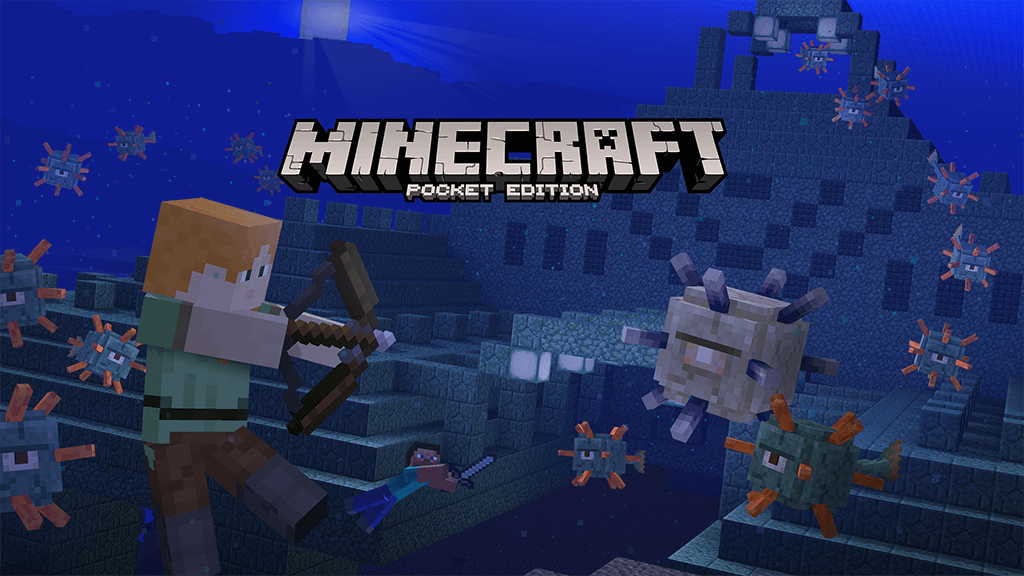
Minecraft: Pocket Edition’s latest update is live, and it introduces two key features for iOS, Android, and other mobile operating systems. Microsoft and developer Mojang have finally brought boss fights into this version of the game. Now, players can take on the Elite Guardian and the Ocean Monuments in epic battles. This patch also introduces the Add-Ons feature that Mojang first announced earlier this year. With Add-Ons, any Minecraft player can dig into its files to create custom edits and remixes. Minecraft is one of the biggest games in the $99.6 billion gaming industry, and it is consistently one of the best-selling games on consoles, PC, and mobile devices.
Add-Ons is one of the ways that Mojang is keeping Minecraft appealing. By making it easier to create unique experiences for the game, the developer is making it more likely that fans of Minecraft will transform it into exactly what they want. Previously, most fans had to wait for community creators to build mods, but Add-Ons makes it so that you can change nearly everything about Minecraft by changing a few numbers in a text file.
Here’s how the Add-Ons feature works:
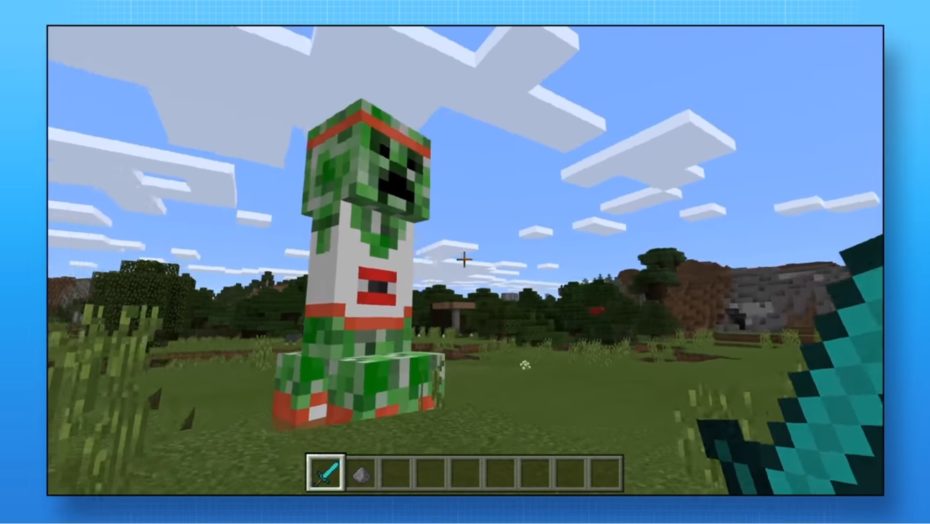
When I talked to Mojang at the Electronic Entertainment Expo trade show in June, the company explained that the process to make something like a UFO is so basic that almost anyone can do it.
““It’s really not that difficult,” Minecraft senior producer James Webster said in June. “It’s just a matter of creating the geometries, which is just a bunch of points in space. And then adding the textures to that. It’s really simple to make these massive changes. Add-Ons, we hope, are going to encourage people to be super creative. It’s a simple thing to change things, but then they can take things a step further by remixing all of these elements to come up with brand new ideas.”
While Add-Ons are coming to the Pocket Edition first, Mojang plans to eventually roll the feature out to every version of Minecraft. That’s part of a long-term road map to bring the various versions of the game together while consistently expanding all of their features. But if Add-Ons is a hit with fans, then the Minecraft community may keep the game feeling fresh and exciting all on their own.
After a small delay, the advertised Boss Update is rolling out for Minecraft on Windows 10 and Windows phones.
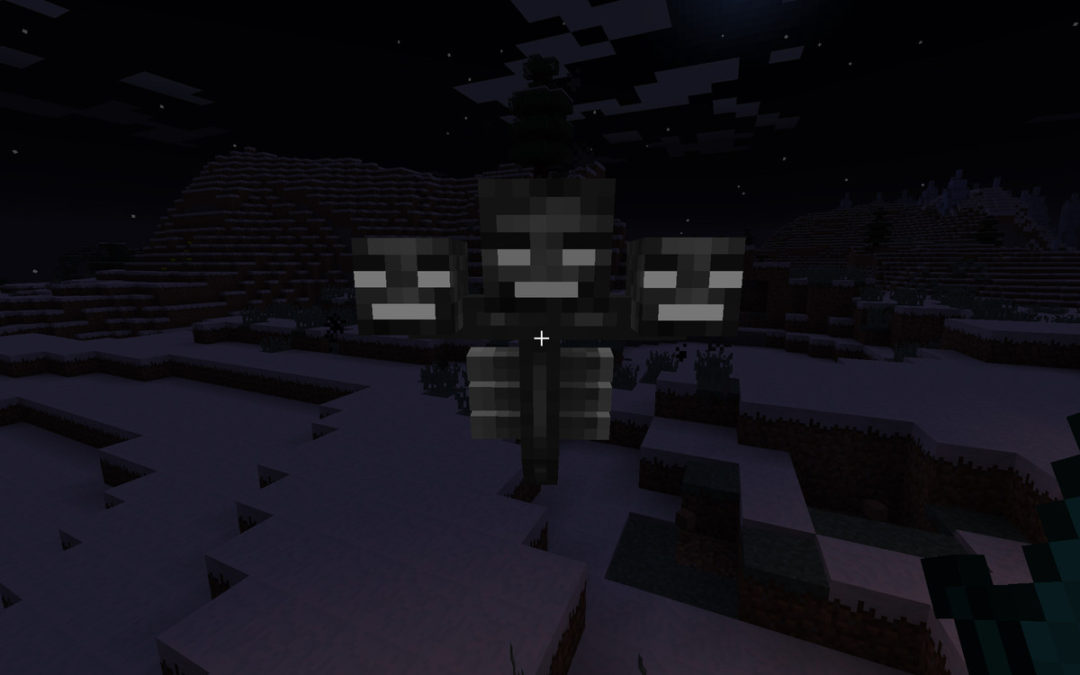
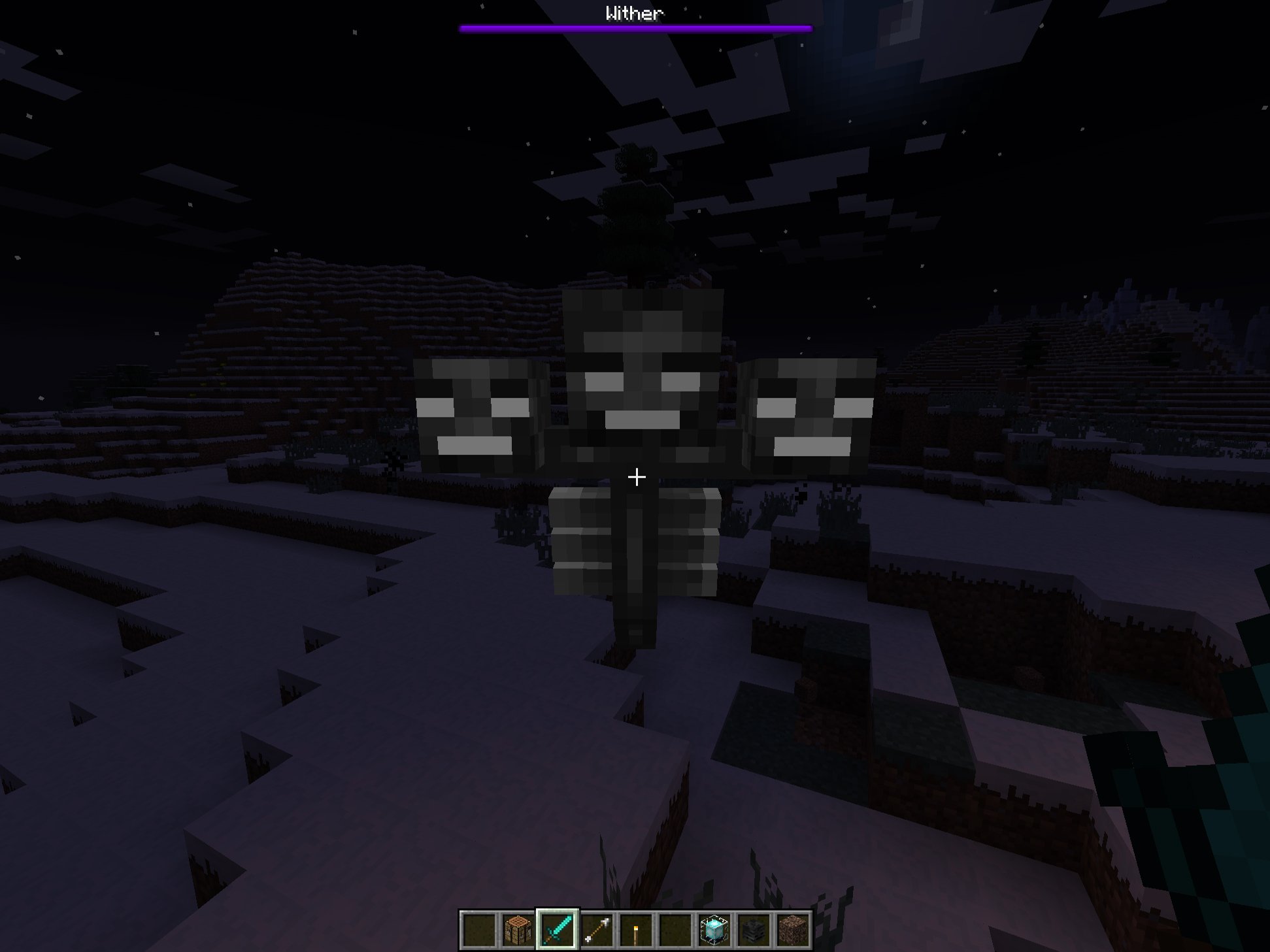
The Boss Update will bring Guardians, Ocean Monuments, the summonable Wither Boss fight, slash commands, and some UI refinements to the game. Additionally, it also provides the first iteration of Add-ons, allowing people to customize Minecraft using tools as simple as Notepad and MS Paint.
You can download some example Add-ons from Minecraft.netright here, including the E3-demonstrated Alien Invasion pack and a zombie Castle Siege pack. We’ll have some guides up shortly on how you can customize your own creatures in Minecraft, from the way they look, to the way they behave and interact with the game’s world.
Slash commands (with a handy auto complete feature). Enable cheats for a world in the options screen for access, but note that Xbox Live achievements will be disabled when you’re using ’em!
Custom key bindings! Hooray for lefties!
A new Creative inventory search feature
Add-On section for world settings
Basic F3 support! (Win 10 only)
Coordinates!
You can change game modes in Realms (note that doing this will restart the realm)
Ability to upload & download worlds in Realms
Ability to promote players as operators in Realms
Tweaks
UI improvements!
Performance improvements!
Tweaks to various mob action/behavior triggers, including fixing creeper explosions
Elder guardian de-buff visuals fixed (feedback from Android beta)
Fishing rods & arrows will fire in more than just one direction
Lots of tweaks to water textures to make underwater more fun
Tweaks to Realms settings
Visual tweaks to sun, moon & stars when rendering in VR immersive mode
Ridiculous numbers of bug fixes!
Sadly, the update still excludes the Windows Phone version of the game from Realms, Microsoft’s subscription-based dedicated Minecraft hosting service, but the company has always told me that it is their goal to bring it in, eventually, in addition to Xbox One and Xbox 360.
If you don’t have Minecraft and want to see what all the fuss is about, join me, Daniel Rubino and Zac Bowden tonight on Beam.pro where we’ll stream some Minecraft, chat with you about Microsoft and probably get blown up by wayward creepers!
It’s been two years since Microsoft bought Minecraft, and the new owners are faced with a conundrum: what do you do with a game that is already a phenomenon?
Complicating things further, Minecraft is now a seven-year old game. While lot of work has been put into keeping the game current, Minecraft is also beginning to show its age. Mojang developer Nathan Adams compared it to rebuild the engines of a jet in the middle of a flight, because taking the game down to patch it just isn’t an option. The tension at the heart of Minecraft heightens when you consider that the developers say difficulties associated with coding the blocky builder sometimes prevents them from adding features that the community wants, like a working API or a server browser.
I got a chance to suss out the future of Minecraft at last month’s Minecon, where the community rubs elbows with the people who make Minecraft great. Obviously, that description includes the developers, but it also expands farther into the YouTubers who make hilarious videos, the modders who create new ways to play, and the builders, who create wonderful worlds for others to enjoy as well.
This was at the forefront of my mind when I attended Minecon. Minecraft has always been a community-driven game, and I was curious how Mojang would handle that aspect of Minecraft’s identity while also pushing the game into new frontiers.
I met with Saxs Persson, developer for the Pocket and Windows 10 editions of Minecraft, and Matt Booty, head of Minecraft, in nearby Marriott hotel. Persson was dressed casually, in a black shirt and jeans. He came off as enthusiastic, prone to geeking out about new tech or features. Booty on the other hand was dressed in a button-down, slacks and came off as more reserved. They couldn’t have chosen a better pair to represent Minecraft.
“We want everybody to play with everybody,” Persson told me. “Minecraft is better when you can connect to your world wherever you with whatever device.” Windows 10 and Pocket Edition players already enjoy cross-platform play, but Persson paints a picture of complete compatibility – console and Java and Win 10 players all connecting and enjoying Minecraft together. In his ideal world, you’d be able to log on to the same persistent server from your iPad, your computer, and your console—a technical and legal hurdle that has been branched in part by games like Rocket League, but full connectivity across all platforms still seems like a lofty goal for Minecraft.
What’s more, this idea seems to ignore that the various Minecraft editions floating around all have varying features, something that even the biggest Minecraft fan finds annoying. For example, MCPE is still missing The End, but at the same time it will get additions that Java won’t see till later (or ever.) Persson didn’t specifically address version mismatches when I asked if feature parity was still a priority, but he also didn’t seem concerned about potential version conflicts. “There’s not a lot holding us back from connecting these versions, and parity is not the main goal,” he said. There is no doubt that this kind of cross-platform play would be popular and welcomed, but I’m skeptical as to how it would actually work. I’m also not sure it’s a feature that the community truly cares about.
Persson also enthused about “new input methodologies,” specifically the Oculus touch. Actually, VR played a big role in Minecon: the line to try it out was hours long throughout the entire event, and Mojang highlighted it often enough that VR seems to form a centerpiece for Minecraft’s future plans.
Virtual reality is still an incredibly niche technology, and Minecraft’s hallmark has always been its accessibility—you can run the game on pretty much any device. It’s hard to understand how adding a style of play that requires a powerful computer or console and a pricey headset fits with the existing appeal of Minecraft. Community response to VR offerings is and always has been tepid at best, especially among veteran Minecraft players, who remember Notch’s quarrel with Oculus in the past.
For now, most of the YouTubers and map makers and modders attached to Minecraft seem pretty happy with their current arrangement—Mojang is still very relaxed about letting people profit off of their game—but some are starting to see the writing on the wall. Long-time Minecraft YouTubers, such as skitscape and setosorcerer, have been moving on to other games or other careers. Map creators like Hypixel have had to adapt and often abandon single-player maps in favor of multiplayer ones, and the often-ignored mod community is starting to feel the strain of an aging game. Each recent patch has created a new set of problems — a recent one, for example, made many large texture packs unuseable, and while a different patch made PvP unplayable for many. With add-ons and an API still a long way off, frustrations continue to mount for some fans.
Mojang’s vision for the future of the game and the communities’ vision have not always been in line, and you could see the effects of that fissure on the showfloor itself. When I asked how they chose the people that ended up on stage at Minecon—essentially receiving the Mojang stamp of approval—or heading up the panels, Persson and Booty were a little evasive. “There is an active curation [of exhibitors],” Booty said about the people that were invited to attend the event and present, “ranging from trying to stay true to Minecraft’s indie roots to working with corporate partners and everything in between.” This was an obvious nod to the big name partners like Mattel that were taking up large amounts of real estate on the expo floor. There were plenty of indie names and creators features, but their competition was fiercer. The Minecon docket was stacked with young, high energy personalities who curated an atmosphere of fun and excitement—the old guard, like Hypixel and other creators, were less well represented.
Persson and Booty still recognized, at least in part, the debt that they owed to the the community. “We ask that they come and meet their fans with open arms,” Persson said, “as a true fan event, not just a primarily corporate one.” Persson and the Mojang team seem eager to signal to their fans that they were still the focus of the event and of their efforts, and that the Microsoft buyout still doesn’t indicate a change in direction or an abandonment of their core users. It was a necessary reminder, given that Minecraft’s indie origins made some people deeply skeptical of Microsoft’s purchase, and these same fans have remained guarded even as the company seeks to reassure them.
Regardless, the Mojang team has actually shown that they are listening to the community in some respects. Minecon saw the first full presentation of the add-on system, which allows players to tweak the behavior and statistics of mobs at first, and will eventually allow wide modification of all entities. Players have been asking for something like this as far back as 2011.
“Add-ons are just the first step,” Persson said, confirming that an application program interface, or API, was being co-developed – a feature that would make modding significantly easier. Persson admitted that two previous attempts at creating an API had failed, and that they had brought on the creators of Bukkit–a popular mod utility–to help them make this attempt stick. This may represent a serious commitment to developing an API, but those promises go back as far as 2009. The community remains skeptical after being burned so many times before.
It’s also obvious that Microsoft has invested heavily in making Minecraft more than just a video game. Minecraft’s developers preferred to use words like “platform”, “tool”, and “environment” instead of “game,” and they were effusive about applications for research, education, and machine learning. “At a high level, we want to maintain Minecraft as an innovation brand,” Booty said when asked about his vision for the future of the game. It was a little hard to pin down exactly what they meant by this — it sounds like they want Minecraft to be all things to all people, which, while ambitious, sounds like a recipe for failure.
Despite the abundance of buzzwords, Mojang’s description is a telling indication of Microsoft’s concerns over their $2.5 billion investment. Minecraft is a completely unprecedented phenomenon, and so too is a massive buyout of an indie game by a major corporation. Minecraft has already conquered video games, so it seems natural that Microsoft and Mojang now want to create something that supersedes gaming.
Everyone I talked to at Minecon was excited about exactly one thing—meeting their heroes, whether that was one of the developers, a popular YouTuber, or a modder. As far as the fans are concerned, the future of Minecraft will always be with the people who make the game great, not fancy technology. Mojang has loftier goals, though it’s hard to say if VR and added connectivity truly hold the key to where Minecraft goes next. Then again, predicting the future is no easy task.
Microsoft recently announced a major update coming to Minecraft on Windows 10. Today, Mojang has started rolling out the update, titled the “Boss Update” to Minecraft’s Windows 10 Edition and Pocket Edition. With the latest Minecraft update, players can now fight the wither, and the game also includes new ocean monuments, as well as the beacon. More importantly, the update brings support for add-ons which is a huge addition to the game. Along with all the new features, the update also comes with some user interface and performance improvements. Here is the full changelog:
New Features
Ocean Monuments
Guardians and Elder Guardians
Prismarine, dark prismarine & prismarine bricks
Prismarine shard & prismarine crystal
Sea lantern
The Wither!
Nether star
Beacon
Wet & dry sponges
Slash commands (with a handy auto complete feature). Enable cheats for a world in the options screen for access, but note that Xbox Live achievements will be disabled when you’re using ‘em!
Custom key bindings! Hooray for lefties!
A new Creative inventory search feature
Add-On section for world settings
Basic F3 support! (Win 10 only)
Coordinates!
You can change game modes in Realms (note that doing this will restart the realm)
Ability to upload & download worlds in Realms
Ability to promote players as operators in Realms
Tweaks
UI improvements!
Performance improvements!
Tweaks to various mob action/behavior triggers, including fixing creeper explosions
Elder guardian de-buff visuals fixed (feedback from Android beta)
Fishing rods & arrows will fire in more than just one direction
Lots of tweaks to water textures to make underwater more fun
Tweaks to Realms settings
Visual tweaks to sun, moon & stars when rendering in VR immersive mode
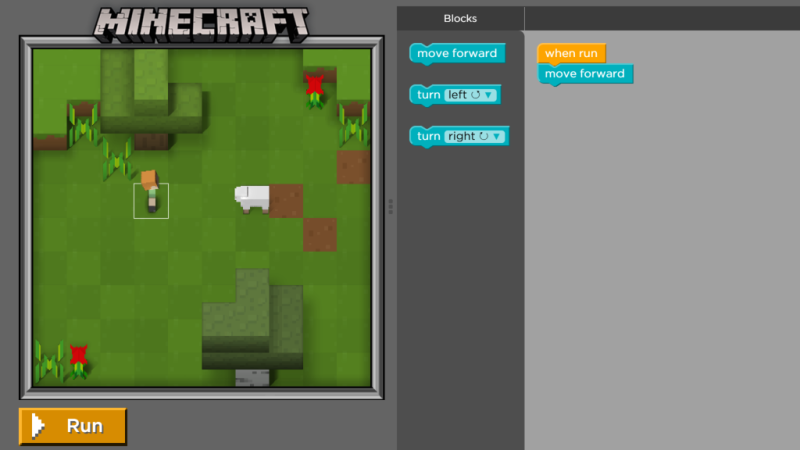
Programming is a valuable skill for kids of all ages to pick up, and when they learn by playing with their favorite characters and games it’s even more fun. Code.org has two new tutorials that will appeal to many kids based on Minecraft and Star Wars.
The Minecraft interactive tutorial has kids choosing between Steve and Alex for their character and then dragging and dropping code blocks to get their character to mine, explore, and craft in the very familiar Minecraft world (complete with that haunting music). There are 14 challenges available now, rated for kids ages 6 and up, and it looks like more languages will be added soon.
The Star Wars tutorial, also in beta, offers both the blocks code and a JavaScript version intended for older kids ages 11 and up (but depending on your child, it’s totally doable for younger kids as well).
These are incredibly fun tools, part of the Hour of Code, which many schools are scheduled to participate in from December 7 to 13th, Computer Science Education Week. You can volunteer here. Thanks Vin!
When your kid shows interest in a popular phenomenon, usually there’s not much to understand—you just help them turn on the videos, and put the toys on their birthday wish list. But it’s a little trickier when your kid comes home and insists that they need to play Minecraft. You have some learning to do.
If you’re nervous about letting your kid log on to a server with other people, it may help to know that they don’t have to. We’ll discuss below how to set up a multiplayer world, but there are plenty of ways to do that while keeping the world private. Minecraft is also tons of fun in single player mode. If you do end up introducing your child to public servers, you’ll probably want to have a talk with them about online safety, and it may be a good idea to play with them at first.
Pick a Platform and Install the Game
There’s a version of Minecraft for every platform. The cheapest, and easiest to install, is the Minecraft Pocket Edition app. It’s $6.99 on iOS and Android. Once it’s installed, you just hit Play, create a world, and you’re off.
Pocket edition has a limited set of inventory items and commands. You can still do a ton of fun things, but currently the game lacks large “boss” monsters to battle, and you don’t have access to some of the lesser used items. The mobile app will do almost anything you can think of, but if you want the most flexibility down the line and the physically largest worlds, go with the desktop version. We imagine though, that your child will probably have a preference as to the platform you buy and install on.
The traditional and most full-featured way to play is on a computer, with the version that runs on Windows, Mac, or Linux. The software is free to download, but you have to pay a one-time fee of $26.95 to create an account. The program won’t run unless you log in.
Minecraft is also available for the Xbox 360 and Xbox One, PlayStation 3 and 4, Wii U, and a handful of other console and mobile platforms,at varying price points in the $20-$30 range, with licenses available either through direct download or physical copies, whichever you prefer. Once you’ve installed the version Minecraft of your (or your child’s) choice, create a Single Player world for starters, and begin exploring.
Learn the Controls
Even if it’s your kid that will be doing the gameplay, you’ll want to have a sense of how to move around and use objects in the game. I can’t count how many times a kid asked me how to do something, I googled and confidently told them the answer, and then felt a little clueless when they handed me the device and said “Show me how.”
On a computer, the w, a, s, and d keys control which direction you walk, and your mouse position controls where you look. Left click destroys a block; right click places the block you are holding. Similarly, interact with objects with a click: left click to hit, right click to use an object. So, for example, hold a bone and right click on a dog to give the dog a bone. Left click to smack the dog with the bone.
The space bar lets you jump, and in creative mode (more about that below), you can fly. Double tap the space bar to start flying, and tap it again to move higher. Shift lowers you down, and another double space drops you to the ground.
On a touch screen device, you’ll have arrow buttons on the left side of the screen for walking, and a separate button for jumping or flying on the right. Swipe the screen to look around. Place blocks with a tap, and destroy them by tapping and holding. You can use some items by tapping, others by tapping and holding, and still others by looking for a special button to appear at the bottom of the screen. For example, if you hold an apple and approach a horse, there will be a “feed” button. You can read more about all the different controls for all the different platforms on the Official Minecraft Wiki.
To manage your inventory, press “e” on your keybord (on the desktop) or tap the “…” button next to the row of nine empty boxes at the bottom of the screen (on mobile.) Scroll through to see what you’ve picked up, if you’re playing in survival mode. In creative mode, you can also search and scroll through hundreds of items that are yours for the choosing. Those nine empty boxes, by the way? Those are your “hot bar” of readily accessible objects. You can drag items from your inventory into them to use them quickly, like with a single tap or keypress, which comes in handy later.
So, What Do You Do?
So what do you do in Minecraft, anyway? What is your kid trying to accomplish when they spend hours at the computer playing? You already know the answer, actually: you mine blocks from your surroundings, and you use them to craft new things. Imagine walking through a world made of lego blocks as far as the eye can see. You can break off a block from the ground, from a tree, anywhere you like, and then you can use the blocks you’ve gathered to make something new.
In survival mode, you arrive in Minecraft land with literally nothing. You can karate-chop the world with your hand to gather blocks of dirt and wood. You can make a pickaxe out of wood, and use it to mine for stone. Then you can make a better pickaxe out of stone. In the meantime, you’d better create a shelter before dark, because that’s when the monsters come out. If they get you, you die:
Survival minecraft can be challenging and fun, but young kids are often more interested in building things, spawning animals, and exploring all the different types of objects that exist in the universe. (Me too, honestly.) You can do all that without fear of being killed by Creepers if you play your game in creative mode. That means you don’t have any damage or hunger meters, you can fly, and you can have as many as you want of anything. Diamond armor? Golden apples? Potions that let you see in the dark? All yours!
Fun Things to Try with Your Kids
Here are some things you can do right away. They’re easy in creative, and possible (if you can gather the materials) in survival. Best of all, if you’re new to the game, you can do them yourself, or if you’re installing for your kids or playing along with them, they’re fun for everyone involved.
Watch the Sunset: A new day dawns in Minecraft every 20 minutes. You get 10 minutes of daylight, 90 seconds of dusk, seven minutes of night, and another 90 seconds for sunrise. It’s kind of beautiful.
See in the Dark: If a young child starts crying for seven out of every 20 minutes while playing, now you know why. After dark, just snag a Potion of Night Vision from your inventory. On the computer you can search for items by name; on mobile, scroll until you find it. It’s dark blue. Right click, or tap and hold, to drink the potion.
Change Your Skin: Gameplay is typically in a first person point-of-view, but if other players are around, they’ll be able to see you. You can also switch views while playing and see yourself in the third-person. If you’d like to tweak your look, visit minecraftskins.net, where you can choose a new skin. Hit Edit to customize it to your liking, and if you play the desktop edition, hit Change to submit it to Minecraft’s account servers. (Your skin is considered part of your account profile.) If you play on the mobile editions, Download the skin and save it to your device’s photo library. Then you can change your skin from within the game.
Tame a Wolf: No wolves? Look in your inventory for an egg called “spawn wolf.“ It does exactly what you’d think. Feed one of your new wolves a bone, and it will start following you and exuding hearts. Once the wolf has been tamed, it wears a red collar and is a dog. Do not hit your dog with a bone. They attack as a pack when one is hurt.
Ride a Pig: Hold a carrot on a stick, and all the pigs around will follow you. Place a saddle on a pig, and then you can ride it. The pig will walk constantly, but you can steer with your mouse as usual. To stop the pig, take the carrot and stick out of your hand.
Teleport: If you’re playing with your kid in multiplayer mode, they’re almost guaranteed to wander off. If you type a forward slash, you’ll find you can enter commands. A handy one is /teleport, or /tp for short, followed by your kid’s player name. You’ll teleport right to where they are.
Build a Beacon: Especially in survival mode, you’ll want to find a way to get back to your home. Build dirt, or whatever you’ve got, into a tall tower that you can see from a distance. While there are other ways to find your way home when you get lost, this is the simplest.
I learned all of these tricks from my six-year-old son, who in turned learned them from watching YouTube. As an adult, you may not have noticed, but roughly half of YouTube is just videos of people playing Minecraft. You can find a guide to the best channels, with notes on their kid-friendliness, at Common Sense Media.
Be warned: these videos often show features that go far beyond what you can find in an ordinary Minecraft installation. There are mods (modifications to either clients or servers), resource packs (which change game features like the appearance of blocks), maps (pre-built worlds), and mini-games (maps set up for solo or competitive games).
Playing With Others
In single player mode, you can set your kid up with a world of her own that she can build and proudly show you all about. But if you really want to play with your kid, you’ll need to learn about multiplayer Minecraft. There are three big ways to play multiplayer:
On a computer, after creating a single player world, you can choose “Open to LAN” to enable others to connect to the world you’ve created. Your friends will need to know your IP address and port to connect to your server. Don’t forget that each player needs their own Minecraft account, so you’ll have to pay again to play together: one account for you, one for your kid.
You can install a server on another, separate computer to keep your world running all the time. The server software is free, but again each player needs their own account.
You can sign up for Minecraft Realms, a subscription service at $9.99/month. Only the person who sets up the world needs a paid subscription, and they can invite others to play with them.
Pocket edition, Windows 10, and consoles support those same three ways of connecting with other players, but are incompatible with PC/Mac editions. Realms subscriptions are, likewise, available either for the PC/Mac edition or the Pocket/Windows 10 edition. That means you can’t play on your phone and connect to your kid’s desktop-based world. Try both if you like, but make sure you consider which ecosystem you want to stick with before your kid starts building that massive castle.