Microsoft’s new Minecraft Education Edition – written in C++ – will outrun the Java version
The forthcoming Minecraft: Education Edition, written in C++, looks faster and smoother than the old Java version, but won’t be compatible with all the old mods. If Microsoft mis-handles the transition, a split could damage the Minecraft community that underpins the game’s stunning success….
Image credit: Microsoft
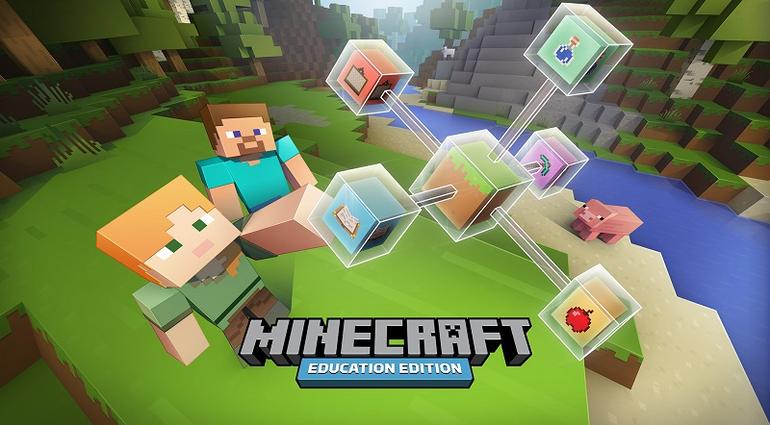
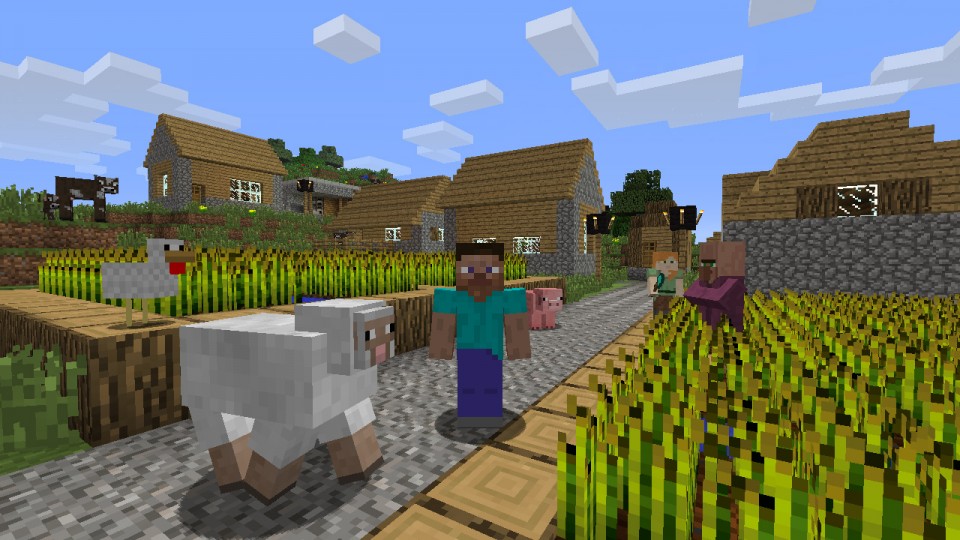
This summer, Microsoft will release a beta ofMinecraft: Education Editionwritten in C++ rather than Java, which looks like removing the performance problems associated with running the current version of Minecraft. The Education Edition should run well on the types of Windows laptop commonly found in schools, and in homes.
Microsoft announced the Education Edition at the BETT 2016 educational technology exhibition held last week in London. Microsoft also announced that it hadpurchased MinecraftEDU, an educational version of Minecraft, from Teacher Gaming LLC. (SeeMicrosoft acquires MinecraftEdu from Teacher Gaming.) MinecraftEDU will not be developed any further, but most of its features will be implemented in the Education Edition.
Minecraft: Education Edition also builds on and extends the Windows 10 version of Minecraft. This is based on the Pocket Edition of Minecraft (MCPE), which is written in C++, not in Java. At BETT, a Microsoft programmer told me that the aim for the Education Edition was to support all the features of the Java version. It will also include extra features that will enable teachers to control large multi-player sessions, including new commands such as Build Allow and Build Deny.
In schools and colleges that use Office 365, students will be able to log on to Minecraft using their Office credentials. Alternatively, the Education Edition can easily be set up on a peer-to-peer classroom network, without a server.
At BETT, early versions of the Education Edition were running impressively smoothly with high-resolution graphics settings on the Minecraft stand.
It remains to be seen how much of the Java version can be incorporated in the C++ version, which runs on Windows 10 PCs, tablets, smartphones and games consoles. It should be possible to import worlds, skins, maps and similar mods. However, mods written in Java code will not be compatible.
The Education Edition is both a solution and a problem for both Microsoft and the Minecraft community. It looks like providing the higher performance that Minecraft players have wanted for years. However, removing the ability to create Java-style mods might well diminish the community supporting the game. That would be extremely bad news for Microsoft, and for its$2.5 billion investment in Mojang, Minecraft’s developer.
What follows is speculation….
At the moment, it looks as though there will be two versions of Minecraft – a Standard Edition and an Education Edition – with the latter feeding off the former. At first, these will have somewhat different features and capabilities, and different target audiences.In the future, however, it seems likely that most Minecraft players will learn the new C++ version first, either in schools or on their own Windows 10 laptops, or via the Pocket edition on smartphones, tablets, and games consoles. The old Java version could therefore see a relative decline: its users may become just a small minority of the expanded market.
Obviously, Mac OS X and Linux have no problems running C++ code, but it remains to be seen whether Microsoft will port the Education Edition to these rival platforms. If it doesn’t, Windows 10 will have an advantage in the education market. If it does, it could be the beginning of the end for the Java version. Why support two code-bases if you only need
Minecraft shaders: 10 of the best Minecraft graphics mods
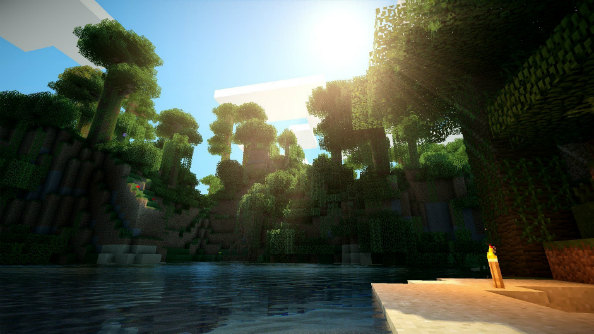
Minecraft shaders. What is a Minecraft shader? Why is it? And for how long? Well, Minecraft has a lot of things in its favour: infinite replayability, massively varied gameplay and a constantly changing and improving online game. Where Minecraft falters in comparison to other modern games is its graphics. Fortunately, as with everything in Minecraft, the graphical fidelity can be tweaked to incredible effect with the help of mods called shaders.
From photorealistic lighting to uncanny motion blur, shaders are capable of bringing your Minecraft experience to life. Every shader has its own unique qualities, whether that’s injecting some serious style or providing a lag-free boost to Minecraft’s base visuals. So, in order to set you on your way to crystal-clear vistas we’ve put together a collection of the top Minecraft shaders out there.
How to install Minecraft shaders
Getting a shader or shader pack up and running on Minecraft is a simple enough process. Before you get started trying to install a shader pack though, you’ll want to download and installForgeandOptifineandGLSL Shaders Mod.
Head to Forge’s download page and select the download for the version of Minecraft you’re running. Once downloaded, locate the file and run it, which should bring a install window up. Check it’s located your Minecraft folders and then click ‘Install client’. To check it’s working, run Minecraft and select Forge as your profile – this should give you a new screen with your mods and programs listed in the bottom left-hand corner.
Optifine will require roughly the same procedure, but after downloading you’ll have to locate the Minecraft folder yourself. To do so hit [Windows key]+ R and type %appdata%\.minecraft into the run prompt. Now just drag and drop OptiFine into your ‘mods’ folder.
Finally, it’s time to grab the GLSL Shaders Mod. Head to their page and download the correct version before once again dragging and dropping it into the ‘mods’ folder. Now you have everything you should need to run shaders. The install process in no different than the rest except you’ll want to place the shader packs into… you guessed it… ‘shaderpacks’ folder.
Sonic Ether’s Unbelievable Shaders
The touchstone shader pack for anyone wanting to feel like they’ve entered an entirely different game. NamedSEUSfor short, this pack is a modification on another much-loved shader pack, and as such it’ll have your Minecraft world looking about as good as you can ever expect it to. Soft natural lighting, rain that adds a glossy sheen to every surface it touches, procedurally generated clouds and much more await you.
Lagless Shaders
Experimenting, tinkering and modding like the mad scientists we are comes with the cost of severely reduce performance – not every budding Minecraft engineer has a computer rig capable of dealing with the demands of high-fidelity visuals. Thankfully, some clever so-and-so madelagless shaders, giving everyone a taste of jaw-dropping visuals with no framerate drops to speak of.
Summer Sunset
Few things compare to the warming glow of asummer sunset. That’s why this Minecraft modder decided to make a shader capable of bestowing all of those feelings of nostalgia and carefree-living upon your Minecraft world. Perfect for getting you through a dark and gloomy January afternoon or convincing yourself you’ve spent time outside on a hot June day.
Naelego’s Cel Shaders
Add some crisp, cartoony visuals to proceedings with this Borderlands-inspired, cel-shaded look. This expertly craftedshaderintroduces bold colours, crisp outlines and solid shadows in order to emulate the look of a classic comic or cartoon.
itsMagicMelon Shader Pack
Specially made for low-end setups, this humble shader gives lighting, effects and animations a dramatic boost with little to no toll on how well the game will run for you. Staggeringly, theitsMagicMelon Shader Packstill manages to include all the features of its performance-draining counterparts, such as water reflections, natural shadows and hosts of animations.
Acid Shaders
Flawless visuals and breathtaking sunsets are one thing, but if you want to make your Minecraft session a little psychedelic there are few shaders as effective asthis aptly named mind-bender. Looking towards the horizon will cause everything in view to twist and distort, folding the world in on itself and falling away in a single motion – it’s stomach-churning stuff. Load up a horror map with this shader turned on and you’re all set for a Minecraftian nightmare.
RudoPlays Shaders
Every shader has its best feature,this onehas lots of them. Arresting sunsets, swaying foliage and vibrant colours are just some of the additions that make RudoPlays’ pack so great. This shader rests somewhere between photorealistic and classic Minecraft, making it an ideal bolt-on for anyone looking to add an aesthetic kick to the vanilla game.
Ziipzaap’s Shader Pack
Sure,Ziipzaap’s Shader packprovides a hearty boost to Minecraft’s general lighting, but it’s the quality of the reflections that have been added to water which make this shader stand out. Our recommendation: find a large body of water, sit back and bask in the glory of those pristine reflections until the sun sets and it’s time to return to the safety of your hut.
Hexagon’s Night Owl Shader Pack
Survival mode places a great amount of emphasis on surviving the night, which means attempting to adequately light a pitch-black world while defending yourself.This useful shaderlights the night up with a convincing moonlight glow, making slaying mobs and exploring your surroundings considerably easier in early game.
The Wave
The Waveis another hypnotic shader that’ll give VR a run for its money where motion sickness is concerned. Stirring your vision as much as it stirs your stomach, The Wave makes the world around you roll about like… well… waves. It’s off-putting, nauseating, but totally awesome, especially when the sun’s setting.
That’s it – Minecraft shaders aplenty. If you’ve found any more that you think belong in the list then let us know in the comments.
‘Minecraft’ creator wants you to go on a kaleidoscopic trip
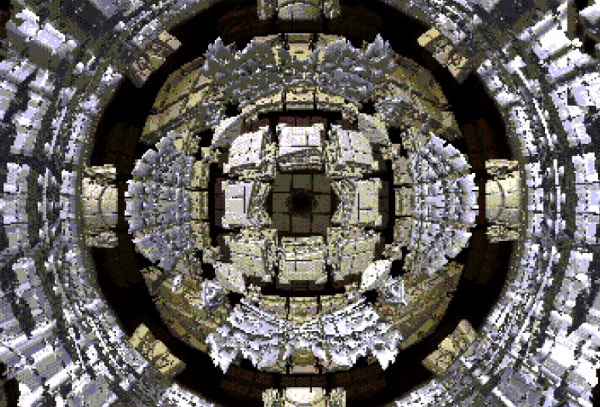
‘Unmandelboxing’ is a geometric experience that’s viewable in virtual reality on certain browsers.
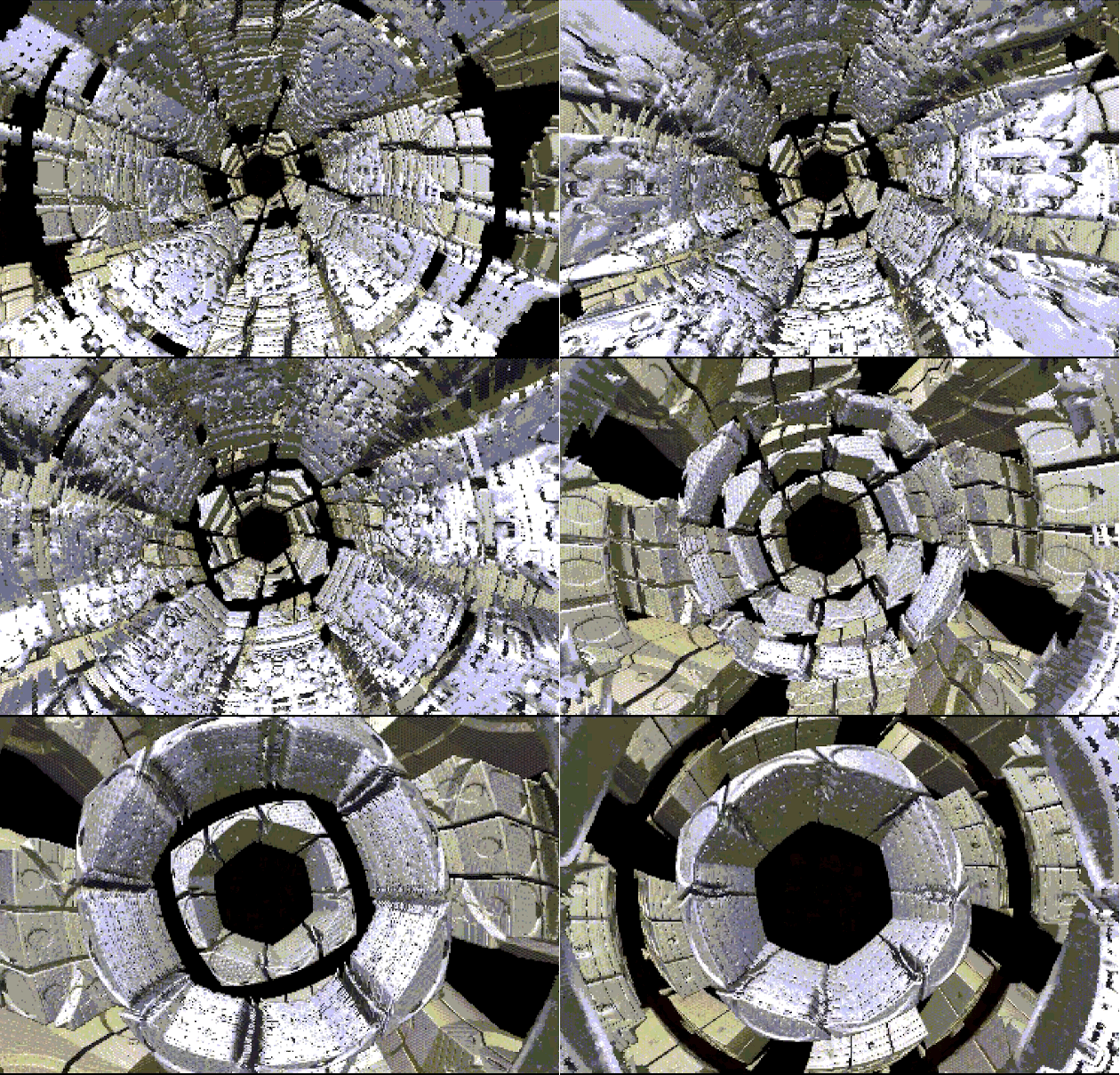
Markus “Notch” Persson, thecreator ofMinecrafthas something to show you, but you might not be ready for it. Okay, “your browser might not be ready for it” is probably the more accurate statement. The project? A kaleidoscopic “ray marching fractal generator” that’ll run in virtual reality on certain browsers, or just plan old 2D on basically everything else.Road to VRlinked to the mesmerizing geometry project (dubbedUnmandelboxing) apparently only weighs about 3.5 KB.
And it seems like that was intentional.Road to VRnotes that in the source code you’ll find that the image size is a paltry 426×240 pixels and the whole thing uses the relatively limited RGBA332 color palette. Despite Notch’sinterest,then disinterestandthen indifferencetoward Oculus, he’s madeUnmandelboxingplayable in WebVR with the second Oculus Rift development kit:
Road to VRalso writes that currently includes a “properly installed and configured” version of Mozilla Nightly but not much, if anything, else. If you think it’s worth the effort to see it for yourself, hit the source links below.
It can be easy to get lost in fractals – those never-ending complex patterns that loop over and over again – and it’s even easier to get totally immersed into one with a VR headset on.
Minecraft founder Markus “Notch” Persson released what looks like a hobby project that involves virtual reality, fractals and an Internet browser. It’s very trippy especially in 3D.
Notch, as he’s known online, also had a trippy love-haterelationship with the Oculus Rift, but now seems to have taken a liking to the platform. Initially, theMinecraft creator was an early supporter of Oculus. When Facebook bought Oculus for $2 billion, Notch withdrew his support.
Eventually (and apparently even more so now), Notch got over the deal. It’s ironic considering Notch eventually sold out too when hesold Mojang, the studio behindMinecraft, to Microsoft for $2.5 billion.
He’s been working on small development projects since the sale. When he’s not tweeting about working “without actually finishing anything,” Notch does find ways to finish stuff, and hisUnmandelboxing is proof of that.
Weighing at a light 3.5 KB, the project takes viewers on a frantic fractal virtual reality journey. It’s best viewed using an Oculus Rift headset on a browser supportingWebVR (available only on experimental builds of Firefox and Chrome), but regular versions of Chrome and other browsers can also display the visuals, albeit in a 2D perspective.
Those with the appropriate gear may or may not get it to work consistently. Notch says it works for him using the Rift DK2 on a Firefox Nightly build. Notch’s followers shouldn’t expect more to come out of this project however, as Notch is notorious for picking up things and dropping them just as quickly.
Ultimately, the main goal of the project was achieved: to produce a program taking advantage of virtual reality that is not only Web-based but also light enough to run on regular browsers. The fractals themselves run from a simple enough set of mathematical rules that also allow Notch’s project to remain incredibly small in size.
Minecraft Pocket Edition 0.14.0 Beta and Education Edition Exposed Details
Mojang has rolled out two important updates regarding the “Minecraft Pocket Edition”, one for Android and the other one for the PC.
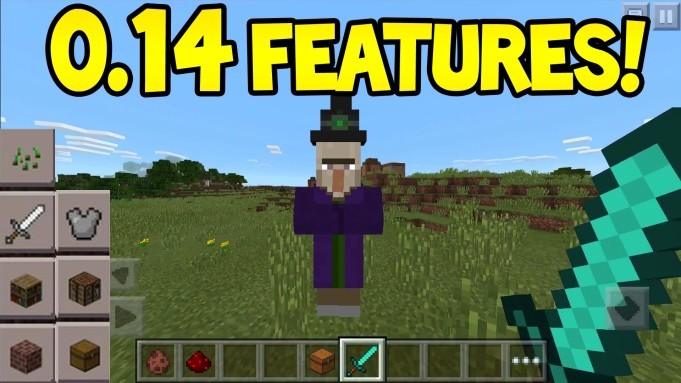
“Pocket Edition” Beta 0.14.0 delivers new items
The “Pocket Edition” Beta 0.14.0 was officially announced on Mojang’s blog. The update delivers new maps, hoppers, droppers, dispensers and more. It seems that witches are also part of this new update along with some pumpkins hats and even Mob Head hats. Worth mentioning are the red sandstones, the comparators and the repeaters as well as the slime blocks.
Aside from all of these new items, the update comes with improved textures, increased chances for zombie babies to become jockeys and more. The bug fixes also make a huge difference and they target the various performance problems and the crashes that were all fixed by developers.
And because we are talking about a beta here, if you want to test it out, you can only do so in the beta testing program. Before you do that, you have to make sure that you have the “Minecraft Pocket Edition” installed on your Android gizmo.
If you want to test the release for “Minecraft” (PC version) look for the snapshot dubbed 16w03a.
In other news, Mojang made it clear that a new “Minecraft Education Edition” done in collaboration with Minecraft Education will be launched. ZDNet informs us that because the “Minecraft Education Edition” is not written in the older Java version, the latter may not work with previous versions. It seems that Mojang is planning to use content in C++ for the latter, but this remains to be seen.
Minecraft Becomes Number 1 Selling Game of All Time on Japanese Wii U eShop
Minecraft Wii U Edition was thought by some to be a too little-too late type of scenario. The game has been released on virtually anything with a screen, so many thought that the impact the game would have on the Wii U would be little to none. It looks like these feelings of doubt have been quieted though, as Minecraft Wii U Edition has become thehighest sellingWii U eShop title in Japan to date.
Minecraft Wii U Edition has already sold more than 77,000 copies, which is about half of what the PS4 edition has sold digitally even though it’s only been on the market for a fraction of the time. It looks like Minecraft and the Wii U was a match made in heaven after all.