Pistons are coming to Minecraft. No, not the Detroit Pistons — although that would be pretty great.
Minecraft developer Mojang announced today that it will release piston blocks for free for the Pocket and Windows 10 versions of the building-focused game. Pistons can push away other blocks, which can create complex machines like automatically opening doors. Pistons will be in the upcoming The Friendly Update. It doesn’t have a release date, but Mojang says it is coming soon. Free updates like this keep players engaged and entertained. It’s one of the reasons Minecraft has sold over 100 million copies on all of its many platforms, which also include PlayStation 4, Xbox One, and Wii U.
Pistons released for the original PC version of Minecraft in 2012. The console versions have pistons, too. The Pocket and Windows 10 Editions of Minecraft have fewer features than the PC release. Mojang has made an effort to bring more complex tools from the original to the these versions.
“Pistons have been a top feature requested by the Minecraft community, and we are excited to deliver the feature to players soon, which will allow them to create even cooler buildings and contraptions in their Minecraft worlds,” Mojang noted in a press release sent to GamesBeat.
You can watch pistons in action in the trailer below.
AI. Messaging. Bots. Arm yourself for the next paradigm shift at MobileBeat 2016. July 12-13 at The Village in San Francisco. Reserve your place here.
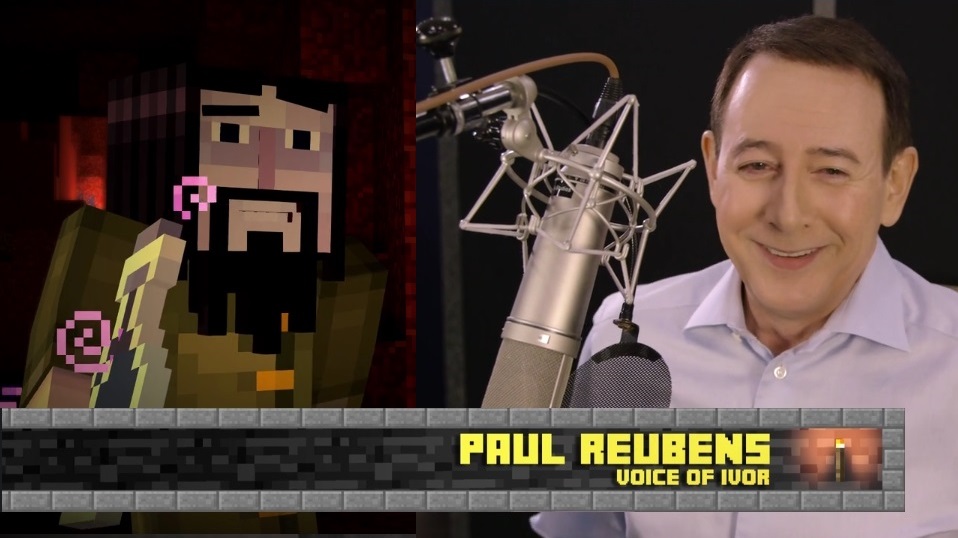
While some (okay, most) are familiar with Paul Reubens because of his portrayal of the iconic Pee-wee Herman in Pee-wee’s Playhouse, the actor has also lent his voice to several animated characters. One of his recent ventures is Ivor, from Telltale Games‘ new episodic game series Minecraft: Story Mode. For those who are unfamiliar with it, the star-studded title takes the same graphic adventure formula made famous by the developer’s previous games (The Wolf Among Us, The Walking Dead, Tales From the Borderlands), and brings it to the iconic world of Mojang‘s Minecraft. In the exclusive video above, Reubens discusses his role in the game, how he got the part, and more. Check it out!
According to Reubens, he was approached about voicing a character for the game while at a party in L.A. during the week of E3. With his acting background, and the vibe Telltale was going for (it evokes a bit of The Goonies and, aptly, Pee-wee’s Big Adventure), Reubens was the perfect fit. “To do those voices and watch the finished show and see your voice come out of an animated character’s mouth is a trip. It’s really cool,” he noted.
But, the curious thing about voice acting is that actors don’t have facial expressions and body movement to rely on. Reubens pointed out, “When you’re doing a voice, all of those other factors are up to the animators, so you try to do as much with your voice as you can.” To Reubens, giving the developer as many takes to play with as possible is really important.
Like Pee-wee’s Playhouse, Minecraft was created to encourage young people to think creatively and celebrate originality, which is a great message if you ask us. Seeing the world brought into Telltale’s stable has been nothing short of thrilling. With the first of three brand new DLC episodes, “A Portal to Mystery,” set to release on June 7, we’re excited to see what’s next.
Have you played Minecraft: Story Mode? If so, what do you think of Reubens’ character? Let us know in the comments below, join the conversation on Facebook, or start one with me on Twitter: @Samantha_Sofka.
And in case you haven’t yet checked out Pee-wee’s Big Holiday on Netflix, here’s the cast chatting about the film, as well as their favorite vacation movies.
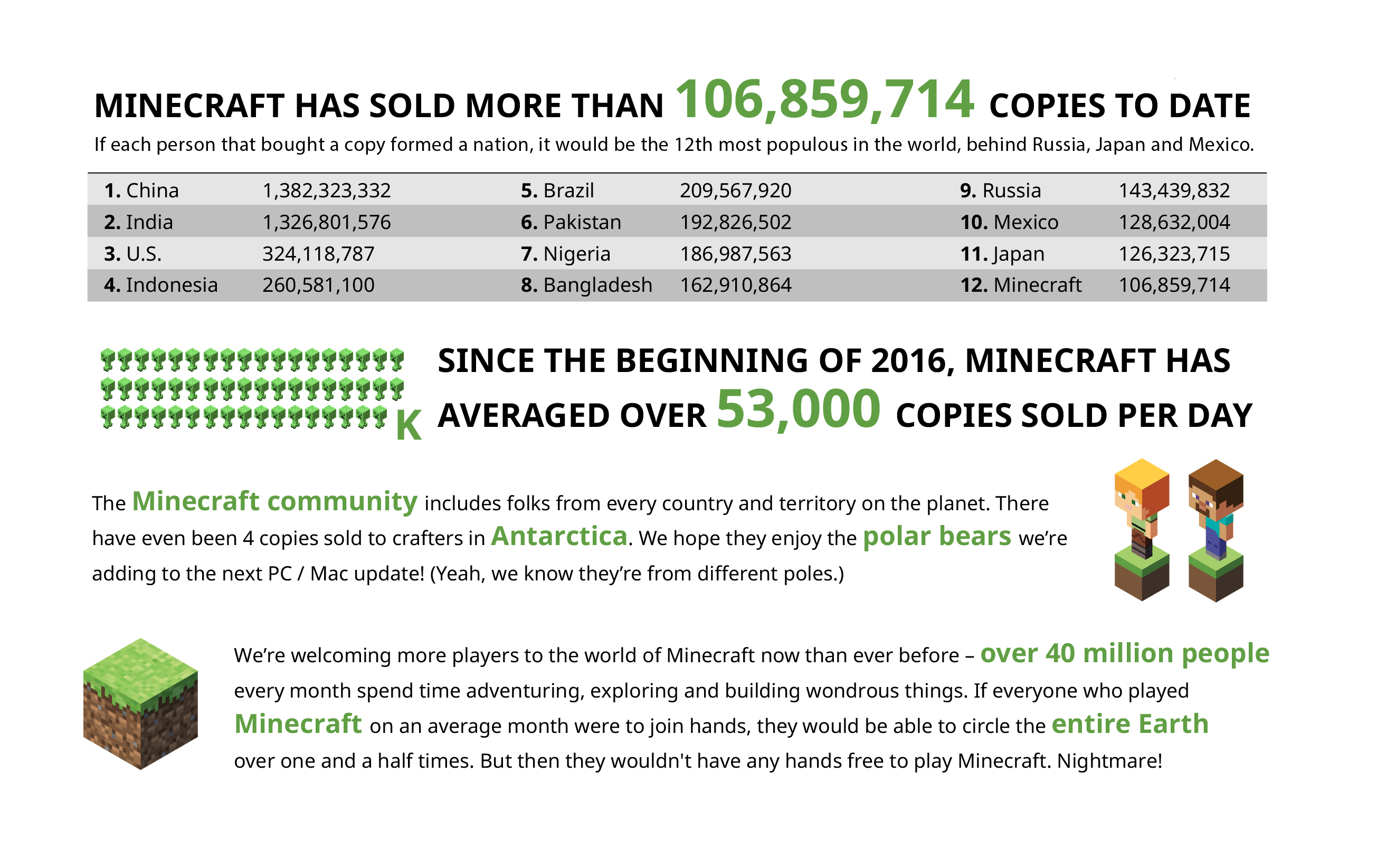
After a certain number of sales it’s only appropriate that an infographic be made, and said infographic shared for players, parents, and games journalists. So feast your eyes upon the two images displayed in this post!We’d like to offer our heartfelt thanks to every one of you who’s bought Minecraft over the past few years, no matter which platform you play on. We’re constantly in awe of our community and the amazing things you achieve together. You really are the best. <3
Feel free to share this thing with friends, family, and the internet. We’ve prepared a high resolution version for that very reason. Download it at the following link.
Microsoft acquired Minecraft maker Mojang nearly two years ago, and at the time it had sold more than 50 million copies across PC, Xbox 360, PS3, and other platforms. Microsoft is revealing today that Minecraft has now reached the 100 million sale milestone, having sold 53,000 copies per day during the course of 2016. It’s a phenomenal achievement for a game that started off as a bedroom project, distributed initially as a Java applet on a web forum.
Minecraft quickly captured the imagination of thousands of gamers who loved the indie game’s concept of allowing players to shape an environment by crafting and building constructions out of blocks. It has spawned a giant community that creates replica objects and YouTube tips on how to play Minecraft that are regularly shared with millions of viewers.
Alongside the 100 million milestone, Microsoft is also sharing a break down of exactly how Minecraft players engage with the game across the world. There are Minecraft players in every country and every territory on the planet, and Microsoft says four copies have even been sold to people in Antarctica. There are now an average of more than 40 million unique Minecraft players each month across all the various platforms the game is available on. The split of PC / console / pocket edition usage across Europe is roughly even, while in North America the pocket edition and console versions are the most popular.
Microsoft’s acquisitions haven’t always worked out (Nokia’s phone business), but it’s clear Minecraft is a big success. Microsoft’s video games revenue has been climbing steadily since the Minecraft acquisition, and it increased by $367 million in the 2015 financial year “mainly due to sales of Minecraft.” Microsoft is now turning the game into an education business, launching a special Education Edition that’s customized for schools. Microsoft researchers are even allowing computer scientists to use the game to train up AI programs, and the software maker is also developing a holographic version of Minecraft for its HoloLens headset.
Minecraft To Let Players Fight One Another To The Death
The new battle mode will change the nature of the game
Starting in June, Minecraft will get a lot more violent. — REUTERS
Minecraft, the world-building game which has captured the hearts and minds of young people (and plenty of older people) everywhere, is finally getting into the fighting business. According to Minecraft’s owner, Microsoft, whichbought the franchisefor $2.5 billion in 2014,has announcedthat it is releasing a new mini-game for consoles called Battle.
Jaime Limon, Senior Product Marketing Manager for Minecraft, describes it as a “competitive multiplayer fight for survival, where speed, strategy—and sometimes just pure luck—will make you the winner.” Players rely on resources placed around the maps to fight each other. Once they’ve fallen victim to another player, they’re free to hang around—literally, because they’ll be flying around as a bat—and watch the death match until it’s over.
The mini game, which is coming in June, marksa turning pointfor Minecraft, which became such a sensation precisely because, unlike so many other hit games, itwasn’tabout violence or killing opponents. Instead, players thrived on the open-ended creativity encouraged by Minecraft’s world. Now that there’s an officially sanctioned forum for battle, it’s bound to change the nature of the game.
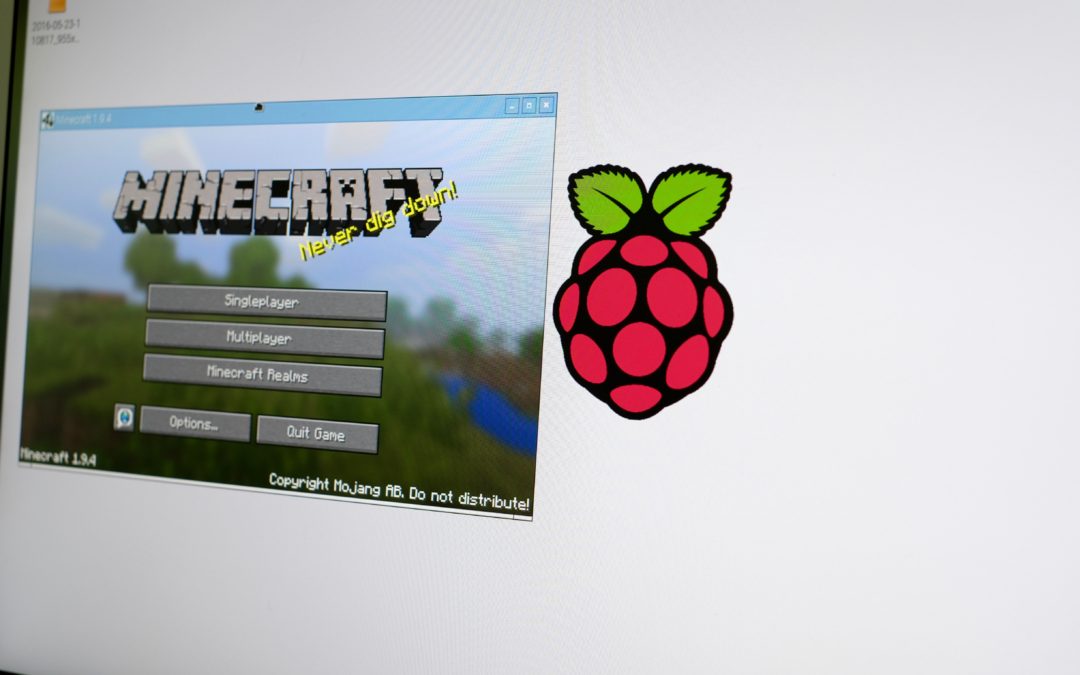
Installing Raspbian on your Raspberry Pi means you’ll find Minecraft Pi in the Games section. Minecraft Pi is a bare-bones version of the popular survival game designed to help teach users various programming languages.
Sure, it’s fun, but it’s not the Minecraft game we’ve come to know and love. As with all things Raspberry Pi, a group of users have figured out how to install the full version of Minecraft on your Raspberry Pi 2 or 3.
As with all things Raspberry Pi, there’s a lot of editing and tinkering with files and Terminal commands. Just be sure to take your time, read through each step and you should be fine.
Keep in mind
Before you dive in, there’s some things you should know:
You will need to know your Mojang account log-in info, along with your Minecraft username.
Naturally, you’ll need a paid license for Minecraft. You can purchase one from Minecraft.net
The guide is specific to Minecraft 1.8.9. However, with a simple tweak you can run the latest version, currently 1.9.4 (more on this below).
Running Minecraft on a $35 computer isn’t going to be the smoothest experience, but it’s definitely playable.
Plan on spending an hour getting everything up and running.
Raspbian Terminal window on the left, Minecraft installation guide on the right.
Screenshot by Jason Cipriani/CNET
I suggest opening this guide in your Raspberry Pi’s browser, with a Terminal window next to it. There are some altered log files stored in Dropbox accounts you’ll need to download, and I’d hate to post the commands here, only to have the links changed at a later day.
The process is simple, mostly requiring you to copy various Terminal commands from the browser, pasting them into the command line. After pasting each command in, press enter on the keyboard and your Pi takes care of the rest.
Tips to make the process as smooth as possible
Here are some tips I came up with to make the process go as smooth as possible:
Step 1 does not apply to Raspberry Pi 3 users. Currently you cannot overclock the Pi 3. Besides, the Pi 3 is actually faster out of the box than the suggested overclock speed of the Pi 2.
After entering Step 4’s command, use the arrow keys on your keyboard to highlight Advanced options and press enter. Next, highlight GL Options, select Enable.
I got a bit confused by Step 7 of the guide where it says to click on “edit profile,” You actually need to click on Profile Editor, then double-click on the first (and only) listing. Under Version Selection click on the drop-down next to Use version and select a build number. Keep in mind, the guide defaults to 1.8.9. For now, use that version and then we can change it after everything is working.
Step 10 tells you to edit the “run.sh” file, without any further instructions. To do this, open the Minecraft folder located in your Pi directory and right-click on the run.sh file, then select Text Editor.
To launch Minecraft, you have a two different options. The guide will tell you to use “./run.sh” in Terminal to launch Minecraft. While that works, before entering the command you’ll need to enter “cd Minecraft” into a Terminal window. The other option is to open the Minecraft folder, double-click on the run.sh file and select “Execute.”
Run the latest version
Alright, so once you get everything up and running, you can start tinkering with the installation. In order to jump to the latest version of Minecraft, you’ll need to relaunch the Minecraft.jar file.
In a Terminal window, enter: cd Minecraft
Next, enter: java -jar Minecraft.jar
Click on Profile Editor then change the version to 1.9.4 (or whatever the latest version is).
Save your change and click on the Play button, forcing Minecraft to download the latest version.
Next, open the Minecraft folder.
In order to eliminate any headaches should you make a mistake, take two-seconds and make a copy of the run.sh file. Rename it to something alone the lines of “runcopy.sh”.
With a copy safely tucked away, open the run.sh file by right-clicking on it and selecting Text Editor.
Press Ctrl-F on your keyboard, and enter 1.8.9 in the text field. There should be two — and only two — instances found. Replace each one with the current version of Minecraft (this should be the same version number you selected in step 3).

/cdn0.vox-cdn.com/uploads/chorus_image/image/49756345/minecraftmicrosoft1_1020.0.0.jpg)